
Schritt 1:
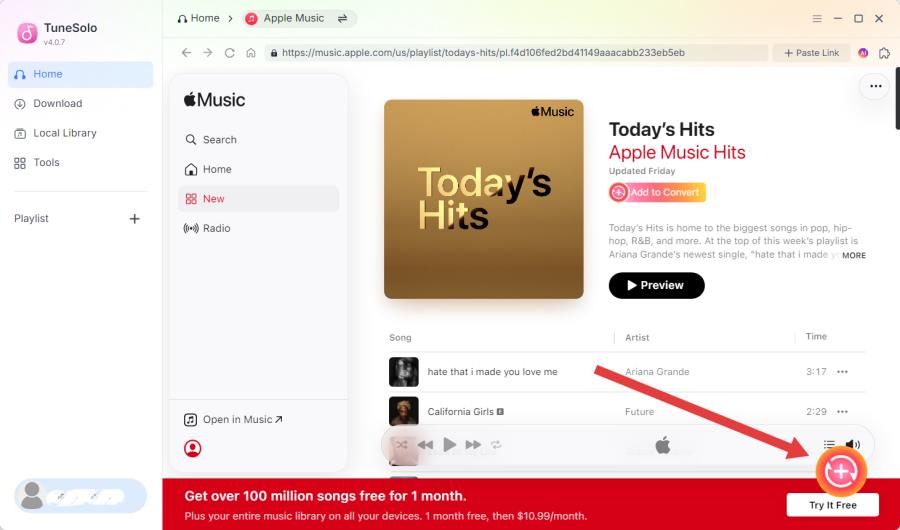
Öffnen Sie das Programm und klicken Sie auf „Apple Web Player öffnen“, um auf den integrierten Player zuzugreifen.
TuneSolo Apple Music Converter ist ein leistungsstarker Audiokonverter, der Apple Music-Songs in MP3, M4A, WAV und weitere Formate mit verlustfreier Qualität konvertieren kann.
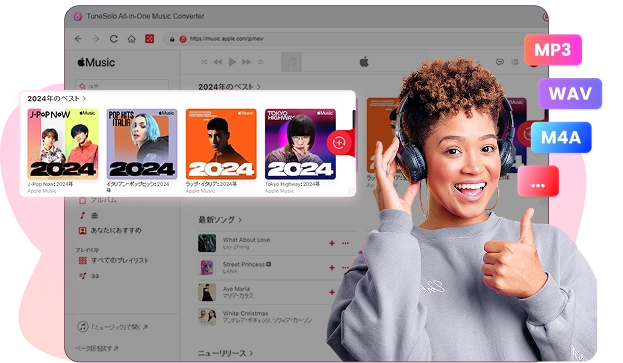
Download Mac Win

Laden Sie Musik aller Art herunter

35-mal schnellere Download-Geschwindigkeit

Konvertiere Spotify in MP3

Beste Musikqualität garantiert

ID3-Tags-Erhaltung und Musiksortierungsvorgabe
Read on for a rundown of all the features of TuneSolo Apple Music Converter to know about how to freshen up your music experience and fine-tune how you use Apple.
Convert Apple Music to Multiple Formats in Hochwertige
TuneSolo Apple Music Converter is designed to give users full control over their Apple Music, iTunes M4P music, and audiobooks by converting them into versatile formats such as MP3, M4A, FLAC, or WAV. This feature-rich software is compatible with both Windows and macOS, making it accessible for a wide range of users. With TuneSolo, you gain the flexibility to enjoy Apple Music on any device, anytime—even after your subscription expires.
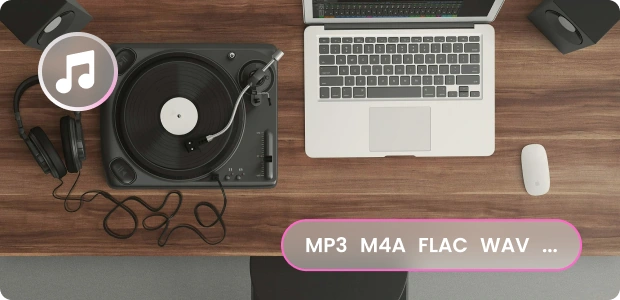
Beseitigen Sie kostspielige manuelle Fehler. DRM Einschränkungen für uneingeschränkten Zugriff
The major obstacle in enjoying Apple Music across multiple devices is DRM (Digital Rights Management) protection, which restricts content use outside of Apple’s ecosystem. TuneSolo Apple Music Converter removes these DRM limitations, enabling you to freely transfer and play Apple Music on any device, whether it’s a smartphone, tablet, or MP3 player. Once converted, you can use your playlists however you like, giving you complete freedom to enjoy your favorite tracks.

Blitzschnelle Konvertierungsgeschwindigkeiten – bis zu 35-mal schneller
With TuneSolo, the conversion process is not only powerful but also incredibly efficient. The software offers an impressive conversion speed of up to 35X, which means large libraries can be converted in just a fraction of the time. Batch conversion support further enhances the experience, allowing you to convert multiple files simultaneously. This efficiency means you can transform entire playlists in minutes, saving you from the tedious wait times typical of other converters.

Offline-Hören jederzeit und überall – auf jedem Gerät
TuneSolo Apple Music Converter allows you to bring your Apple Music library to a whole new level of accessibility. Whether you want to listen to music on an iPod Nano, iPod Classic, iPod Shuffle, iPhone, Zune, PSP, Android tablet, Xbox One, Apple Watch, or other devices, TuneSolo makes it possible. With offline access on all these devices, you’re no longer restricted to Apple’s app or device ecosystem—enjoy music on your terms, without needing a family plan or active internet connection.

fließende Conversion without iTunes Installation
The newest version of TuneSolo Apple Music Converter eliminates the need for iTunes syncing, simplifying the entire conversion process. A built-in Apple Music web player allows you to log in with your Apple ID and access all your music without the hassle of iTunes installations. This improvement streamlines the downloading and converting experience, making it faster and more efficient than ever. With the web player integration, TuneSolo puts powerful music conversion at your fingertips.

Outstanding Features of Tunsolo Apple Music Converter

Eingebauter Apple Music Webplayer
Allows direct access to your Apple Music library for easy selection and conversion without needing the Apple Music app.

Breite Kompatibilität
Funktioniert nahtlos mit Windows und macOS und bietet reibungslose Leistung plattformübergreifend.

Kostenlose Upgrades auf Lebenszeit
Geben Sie häufig neue Funktionen und Verbesserungen bekannt und beheben Sie Fehler umgehend.

Batch-Konvertierung
Unterstützt die gleichzeitige Konvertierung mehrerer Apple Music-Songs und spart Ihnen so Zeit und Mühe.

Erfolgreiche Konvertierung
Extremely Successful Conversion Achieve 98% and a greater conversion rate for songs from Apple Music

Mehrsprachig unterstützt
TuneSolo unterstützt Englisch, Japanisch, Deutsch, Französisch, Chinesisch, Italienisch, Polnisch und weitere Sprachen.
Wie verwende ich TuneSolo Apple Music Converter?
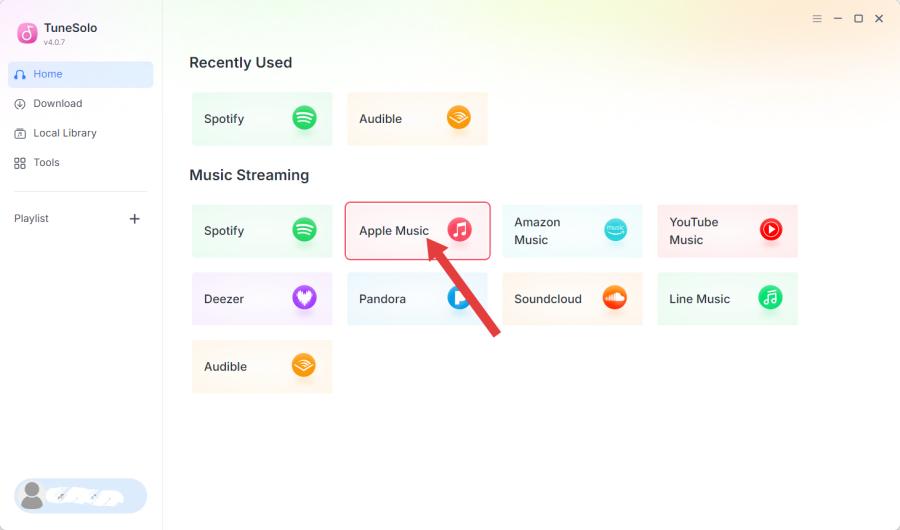
Schritt 1:
Öffnen Sie das Programm und klicken Sie auf „Apple Web Player öffnen“, um auf den integrierten Player zuzugreifen.
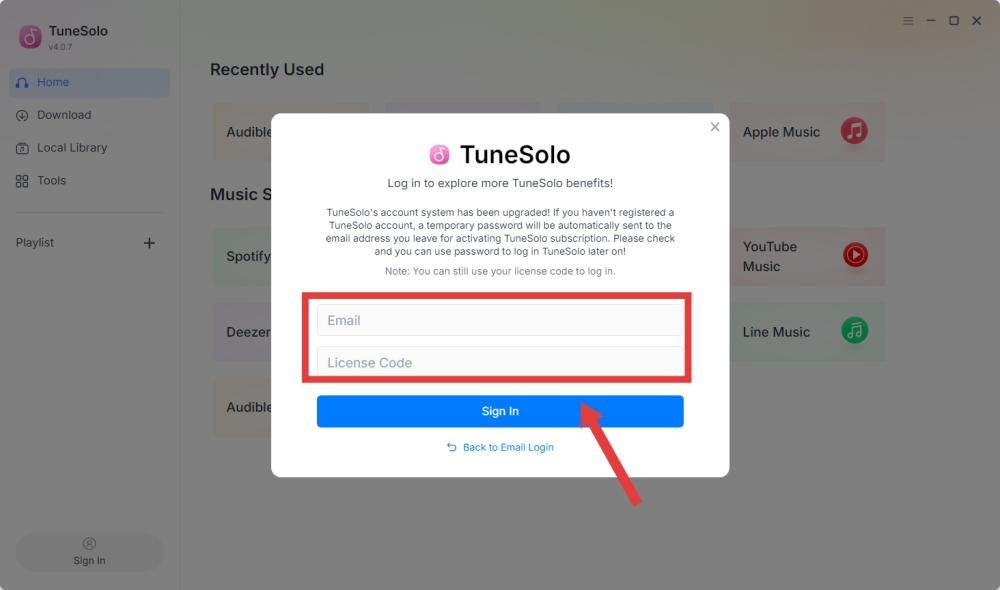
Schritt 2:
Klicken Sie oben rechts auf „Anmelden“ und melden Sie sich mit Ihrer Apple-ID an, um auf Ihre Musikbibliothek zuzugreifen.
Schritt 3:
Suchen oder wählen Sie Songs in Ihrer Playlist aus und ziehen Sie sie dann auf die RED PLUS-Schaltfläche, um sie der Warteschlange hinzuzufügen.
TuneSolo Apple Music Converter Rezensionen

"I’ve tried multiple converters, but TuneSolo stands out for its speed and simplicity. It converted my entire playlist with perfect quality, and now I can listen offline without restrictions!"

Musik-Blogger
Sarah W.
"TuneSolo Apple Music Converter is a lifesaver for me as a DJ. I can quickly convert my Apple Music songs for easy integration into my sets, and the sound quality is fantastic!"

Professioneller DJ
Löwe M.
"With TuneSolo, managing my Apple Music collection offline has become so easy. The interface is intuitive, and the conversion process is seamless every time."

Freiberuflicher Musikkurator
Emily T.
Am nützlichsten: Apple Music Converter – einen Versuch wert
Nutzen Sie Spotify schon sehr lange? Laden Sie TuneSolo Spotify Music Converter kostenlos herunter und installieren Sie es, um ein völlig neues Musikerlebnis zu genießen.
Systemanforderungen:
Windows 7 oder höher auf 64 Bit
Mac OS X oder höher 10.11
Pricing:
Ab 13.95 $ / Monat
Weitere wertvolle Pläne anzeigen >>>
Unterstützter Audioeingang:
Apple Music Songs, Playlists, Alben,
Podcasts, Hörbücher usw.
Unterstützte Ausgabeformate:
MP3, M4A, FLAC, WAV.
Häufig gestellte Fragen
Kann ich TuneSolo Apple Music Converter kostenlos nutzen?
Yes, TuneSolo Apple Music Converter provides free trial and pro version for all users, the free trial version allows you to fully evaluate the software before placing an order. If you are satisfied with its use, you can purchase the upgrade to the pro version.
Welche Einschränkungen gibt es bei einer kostenlosen Testversion?
Sie können die kostenlose Testversion nur 30 Tage lang nutzen und nur die ersten 3 Minuten des Songs konvertieren.
Kann ich beim Kauf der Software TuneSolo einen Rabatt erhalten?
Sie können die offizielle Website von TuneSolo im Auge behalten, um rechtzeitig über weitere Rabattangebote informiert zu werden. Alternativ können Sie sich an das Support-Team wenden ([email protected]Weitere Einzelheiten zu einigen Sonderveranstaltungen von TuneSolo finden Sie hier.
Wird bei TuneSolo Apple Music Converter die Musikqualität erhalten?
Absolut, TuneSolo erhält die ursprüngliche Audioqualität und gewährleistet so eine verlustfreie Konvertierung von Apple Music-Tracks.
Kann ich meine Lizenz auf zwei oder mehr Computern verwenden?
Normalerweise kann ein Lizenzschlüssel nur auf einem Gerät verwendet werden. Sollte es jedoch zu einem Notfall kommen, z. B. wenn Sie das Gerät wechseln oder zurücksetzen und sich nicht anmelden können, können Sie sich an das Support-Team wenden ([email protected]) und geben Sie Ihre gültigen Bestellinformationen an. Sie werden Ihnen beim Übertragen der Lizenz auf ein neues Gerät helfen.
Wird mein Abonnement automatisch verlängert?
Ja. Wenn Sie die automatische Verlängerung nicht vor dem nächsten Abrechnungsdatum kündigen, wird das Abonnement standardmäßig automatisch verlängert. Wenn Sie Ihr Abonnement kündigen müssen, senden Sie die Bestellinformationen bitte an das Support-Team ([email protected]) vor dem nächsten Verlängerungstag. Wir kündigen es dann für Sie.
Funktionen
Beliebt
Support
Copyright © 2026 TuneSolo. Alle Rechte vorbehalten.

Zögern Sie nicht länger
Neukunden erhalten im ersten Monat 30 % Rabatt auf ihr Abonnement!
