

Replay와 Spotify Wrapped 중 어느 것이 더 나을까요?
한 해가 저물어감에 따라 음악 애호가들은 연말 결산 발표를 손꼽아 기다리고 있습니다. Apple Music Spotify이 맞춤형 요약은 과거에 가장 많이 스트리밍한 노래, 아티스트 및 앨범을 보여줍니다. 12 months이를 통해 여러분은 자신의 음악적 취향과 추억을 되돌아볼 기회를 갖게 됩니다.
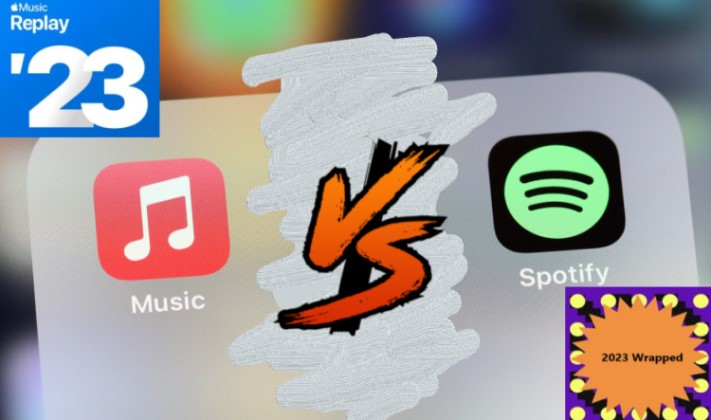
의 전투 Apple Music 리플레이 vs Spotify 포장 많은 음악 팬들에게 연례 행사가 되었지만, 어떤 1 어느 서비스가 더 나을까요? 이 글에서는 두 서비스의 기능을 비교하고 장단점을 살펴보고, 어떤 연말 리뷰 서비스가 여러분에게 적합한지 결정하는 데 도움을 드리겠습니다. 헤드폰을 착용하고 함께 알아볼까요!
기사 내용 파트 1. 무엇인가 Apple Music 재생 및 Spotify 포장?파트 2. Apple Music 리플레이 vs Spotify 래핑: 어떤 플랫폼이 더 좋았습니까?파트 3. 액세스 방법 Apple Music & Spotify 통계?음악 팁: 내 음악을 어떻게 유지할 수 있을까요? Apple Music Spotify MP3 노래 영원히?
파트 1. 무엇인가 Apple Music 재생 및 Spotify 포장?
Apple Music 재생 및 Spotify Wrapped에는 사용자가 지난 몇 년간의 음악 감상 습관을 요약해서 보여주는 연말 리뷰 기능이 포함되어 있습니다. 12 months두 서비스 모두 개인 맞춤형 재생 목록을 만들고 사용자가 가장 좋아하는 노래, 아티스트 및 앨범을 강조 표시합니다.
Apple Music 다시 하다?
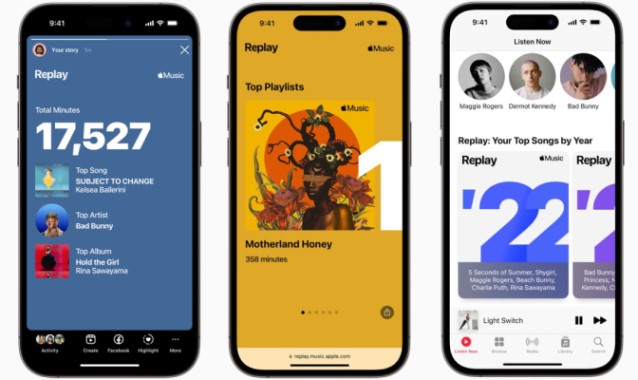
Apple Music 재생 2019년에 도입된 이 기능은 다음과 같은 기능을 제공합니다. Apple Music 사용자가 지난 1년간의 청취 기록을 확인할 수 있습니다. Apple Music 리플레이는 사용자가 가장 좋아하는 곡들로 플레이리스트를 만듭니다. 100 올해의 노래들과 함께, 그들이 데뷔한 이후 매년 가장 많이 스트리밍된 노래들의 플레이리스트도 포함되어 있습니다. Apple Music 구독자에게 제공되는 기능입니다. 또한 이 기능은 사용자가 한 해 동안 가장 많이 들은 아티스트와 앨범에 대한 분석 정보도 제공합니다.
Spotify 포장?
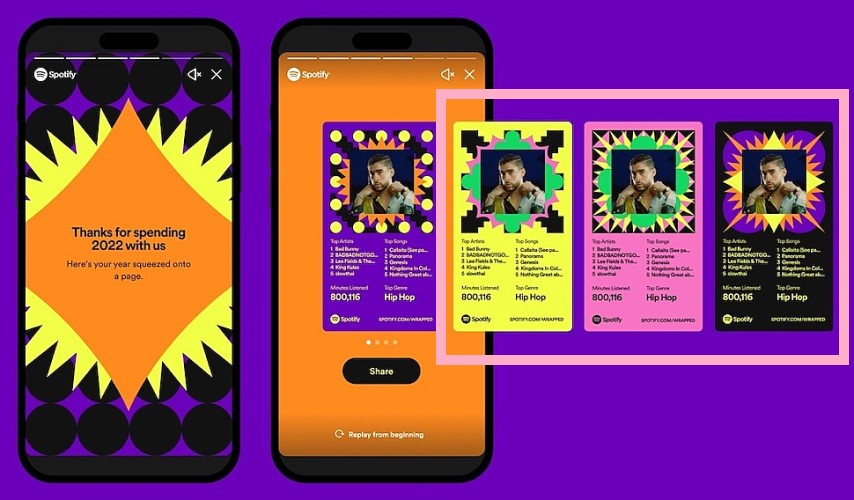
Spotify 포장 그 이후로 주변에 있었다 2016 사용자의 음악 감상 습관에 대한 유사한 요약 정보를 제공합니다. Spotify Wrapped는 사용자가 가장 좋아하는 곡들로 플레이리스트를 만듭니다. 100 올해의 노래들과 함께, 데뷔 이후 매년 가장 많이 스트리밍된 노래들의 플레이리스트도 공개됩니다. Spotify 구독자. 또한 이 기능은 총 청취 시간, 사용자의 최고 아티스트 및 장르와 같은 개인화된 통계를 제공합니다. Spotify Wrapped는 또한 소셜 미디어 공유 기능을 제공하여 사용자가 자신의 통계를 친구 및 팔로워와 공유할 수 있도록 합니다.
파트 2. Apple Music 리플레이 vs Spotify 래핑: 어떤 플랫폼이 더 좋았습니까?
비교할 때 Apple Music 재생 및 Spotify 포장, 고려해야 할 몇 가지 주요 차이점이 있습니다.
노래 및 재생 목록 큐레이션
Apple Music 리플레이는 사용자가 가장 좋아하는 곡들로 플레이리스트를 만듭니다. 100 올해의 노래들, 하지만 그것은 많이 제공하지 않습니다 그 이상의 플레이리스트 큐레이션 방식으로. Spotify 반면 Wrapped는 다양한 분위기, 장르, 시간대에 맞는 맞춤형 플레이리스트를 제공하여 더욱 풍부한 플레이리스트 경험을 선사합니다. 일부 사용자들은 이러한 점이 중요하다고 생각합니다. Apple Music 리플레이 통계는 전체 정보에서 얻을 수 있는 정보만큼 자세하거나 흥미롭지 않습니다. Spotify.
개인화
두 서비스 모두 개인화된 요약을 제공하지만 Spotify Wrapped는 사용자가 청취한 총 시간, 가장 좋아하는 장르 및 아티스트와 같은 맞춤형 분석 정보와 통계를 제공하여 한 단계 더 나아갑니다. Apple Music 리플레이는 사용자가 가장 많이 듣는 노래, 아티스트, 앨범에 대한 분석 정보를 제공하지만, 개인 맞춤형 분석 정보는 제공하지 않습니다.
사회 공유
Spotify Wrapped에는 사용자가 자신의 청취 통계를 친구 및 팔로워와 공유할 수 있는 강력한 소셜 미디어 공유 기능이 있습니다. 이것은 만들었습니다 Spotify 연말연시 기간 동안 소셜 미디어에서 화제가 되었던 주제를 다루었습니다. Apple Music Replay는 이와 유사한 공유 기능을 제공하지 않습니다.
이용 가능 여부 (Availability)
Apple Music 리플레이는 연중 내내 이용 가능하므로 사용자는 시간이 지남에 따라 변화하는 청취 습관을 추적할 수 있습니다. Spotify 반면 Wrapped는 연말에만 이용 가능하며 1월부터 현재까지 사용자의 음악 감상 습관에 대한 요약을 제공합니다. 1st ~ 10 월 31st 그해의.
반면에, 미국에서 체류를 연장하고자 이전의 승인을 갱신하려던 Apple Music Replay는 무료 사용자에게 더욱 친화적입니다. Spotify 확인 무료이기 때문에 포장. 그러나 사용자가 가지고 있지 않은 경우 Spotify 프리미엄, 그들은 모든 것에 액세스할 수 없습니다 Spotify 포장된 통계.
시간을 아껴주는 인터페이스
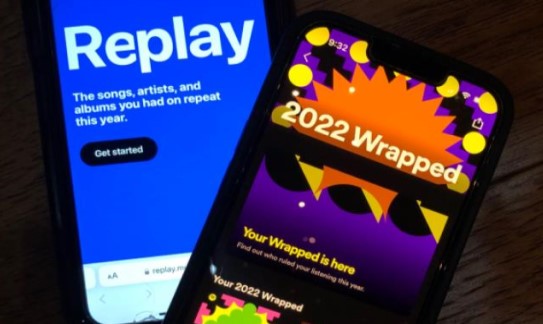
두 서비스 모두 탐색하기 쉬운 사용자 친화적인 인터페이스를 갖추고 있지만, Apple Music Replay의 인터페이스는 더욱 간결하고 단순화된 반면, Spotify Wrapped의 인터페이스가 더 시각적입니다. 그리고 다채로운.
1 고려해야 할 또 다른 측면은 다음과 같습니다. 제시된 정보의 정확성. 두 Apple Music 재생 및 Spotify 래핑은 사용자의 청취 기록 및 데이터를 기반으로 하지만 이 데이터의 정확성은 사용자가 음악을 스트리밍하는 양, 계정에 다른 장치를 연결했는지 여부, 음악을 오프라인에서 들은 적이 있는지 여부와 같은 요인에 따라 달라질 수 있습니다.
고려해야 할 또 다른 사항은 음악 도서관 각 플랫폼에서 이용 가능합니다. 사용자의 음악 취향이 특정 장르나 아티스트에 치우쳐 있다면, 해당 장르나 아티스트는 특정 플랫폼에서 더 많이 찾아볼 수 있습니다. 1 플랫폼을 선택할 경우, 해당 플랫폼의 연말 결산 기능을 선호할 수도 있습니다.
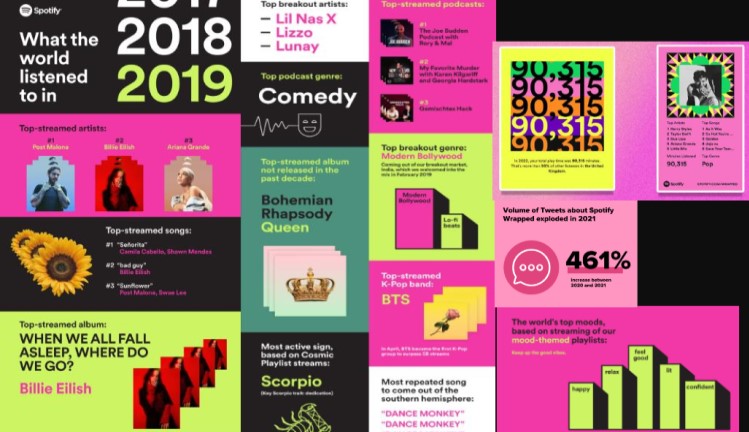
결국 둘 사이의 선택은 Apple Music 재생 및 Spotify Wrapped는 개인 선호도, 가용성, 원하는 개인화 및 사회적 공유 수준에 따라 결정됩니다. 두 기능 모두 사용자의 음악 감상 습관을 반영하는 재미있고 개인화된 방법을 제공하며 내년에 새로운 음악을 발견하기 위한 훌륭한 출발점을 제공할 수 있습니다.
파트 3. 액세스 방법 Apple Music & Spotify 통계?
다음은 계정에 접속하는 방법에 대한 안내입니다. Apple Music 재생 및 Spotify 포장:
음악 통계를 확인하는 방법 Apple Music 재생
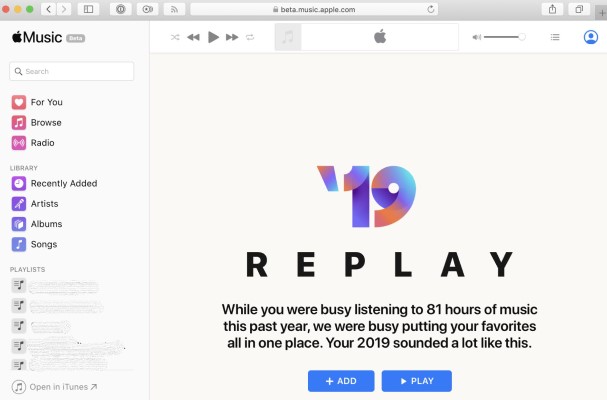
에 액세스하려면 Apple Music 다시 재생하려면 다음 단계를 따르세요.
- 열기 Apple Music 앱을 다운로드하세요.
- 화면 왼쪽 상단 모서리에 있는 프로필 사진을 누릅니다.
- 아래로 스크롤하여 "리플레이 믹스 받기".
- 여기에서 올해 최고의 노래, 아티스트 및 앨범을 볼 수 있습니다. 또한 매월 최고의 노래와 아티스트를 볼 수 있습니다.
주의 사항: Apple Music 리플레이는 매주 업데이트되므로, 시간이 지남에 따라 청취 습관이 어떻게 변하는지 확인할 수 있습니다.
음악 통계를 확인하는 방법 Spotify 포장
에 액세스하려면 Spotify 포장 및 ~을 체크하다 Spotify 포장된 통계, 다음과 같이하세요:
- 열기 Spotify 앱을 다운로드하세요.
- 화면 하단의 "홈" 탭을 누릅니다.
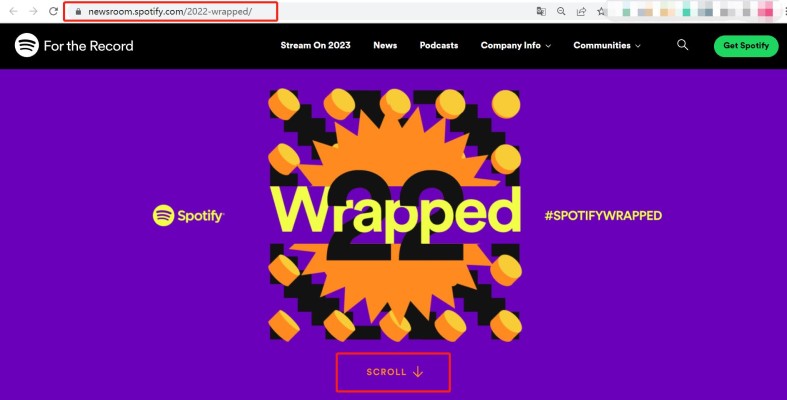
- "귀하의"라고 적힌 배너를 찾아보세요. 20XX 포장."
- 배너를 탭하여 최고의 노래, 아티스트 및 장르를 포함하여 해당 연도의 개인화된 통계에 액세스하십시오.
주의 사항: Spotify Wrapped는 연말에만 제공되며 1월부터의 청취 데이터를 포함합니다. 1st ~ 10 월 31st 그 해의 기록을 확인할 수 있습니다. 또한, 개인 맞춤 재생 목록과 더 자세한 통계를 확인할 수 있습니다.ogg당신의 안으로 들어가는 중 Spotify Wrapped 웹 사이트의 계정.
끝입니다! 나만의 맞춤형 청취 통계를 마음껏 살펴보세요. Apple Music 재생 및 Spotify 포장.
음악 팁: 내 음악을 어떻게 유지할 수 있을까요? Apple Music Spotify MP3 노래 영원히?
TuneSolo Software Inc.는 다음과 같은 제품을 제공합니다. 2 강력한 음악 변환 도구: TuneSolo Spotify Music Converter TuneSolo Apple Music Converter사용자가 자신의 정보를 유지하는 데 도움이 됩니다. Apple Music Spotify mp3 기기에 저장된 노래를 오프라인에서 감상할 수 있습니다.
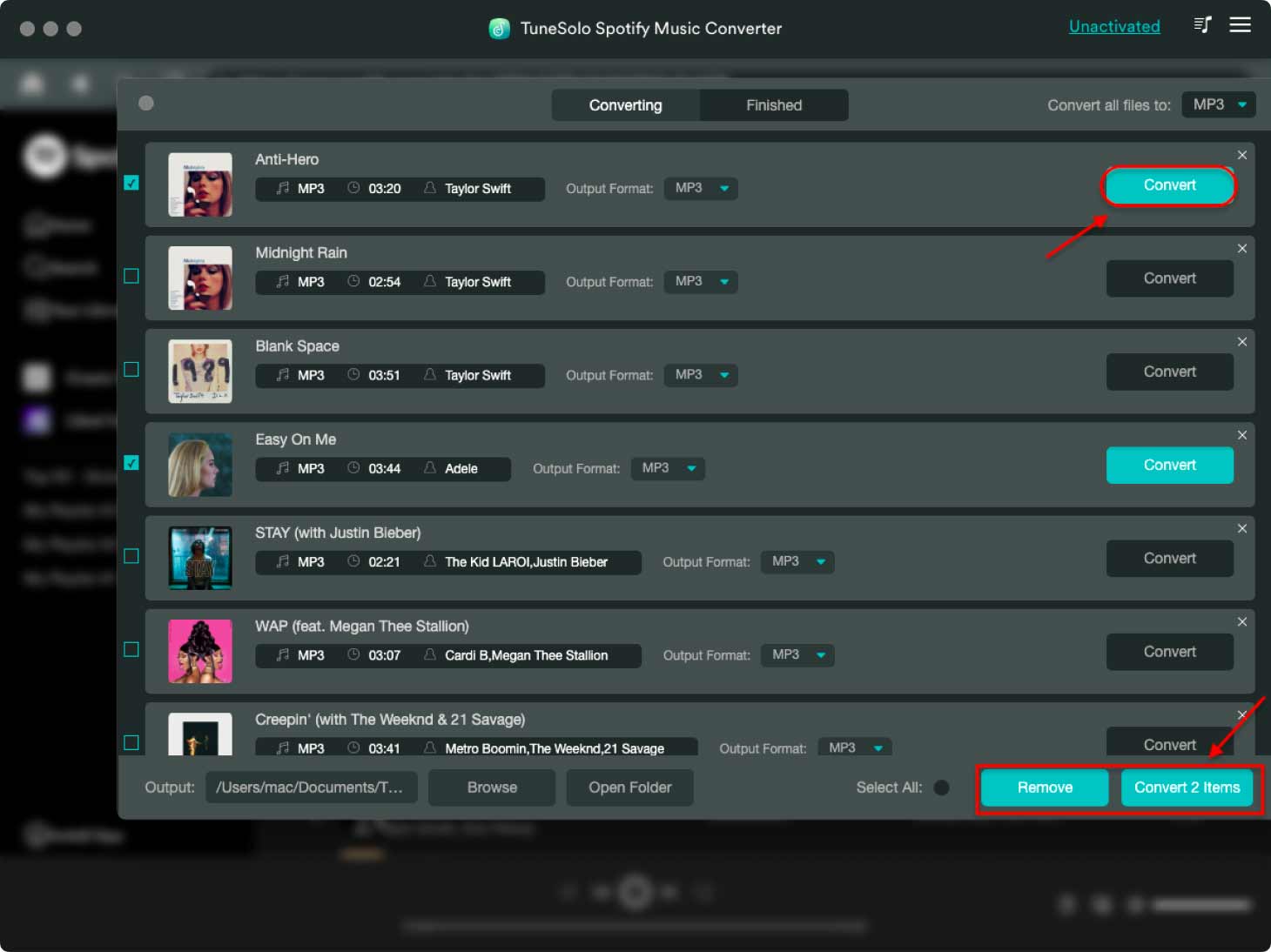
TuneSolo Spotify Music Converter 사용자가 변환하도록 허용 Spotify 노래, 재생 목록 및 앨범을 다양한 형식으로 변환합니다. MP3, WAV, FLAC, M4A.
이 도구를 사용하면 사용자는 Spotify Music 구독을 취소한 후에도 영구적으로 사용할 수 있습니다. 변환된 파일은 iPod을 포함한 모든 기기에서 재생할 수 있습니다. MP3 플레이어 등.
TuneSolo Apple Music Converter반면, 사용자가 DRM 보호를 제거할 수 있도록 합니다. Apple Music iTunes의 노래, 재생 목록 및 오디오북을 일반적인 오디오 형식으로 변환합니다.
이 도구를 사용하면 사용자는 자신의 기능을 즐길 수 있습니다. Apple Music 또한 Apple 기기가 아닌 기기를 포함하여 모든 기기에서 iTunes 콘텐츠를 제한 없이 이용할 수 있습니다.
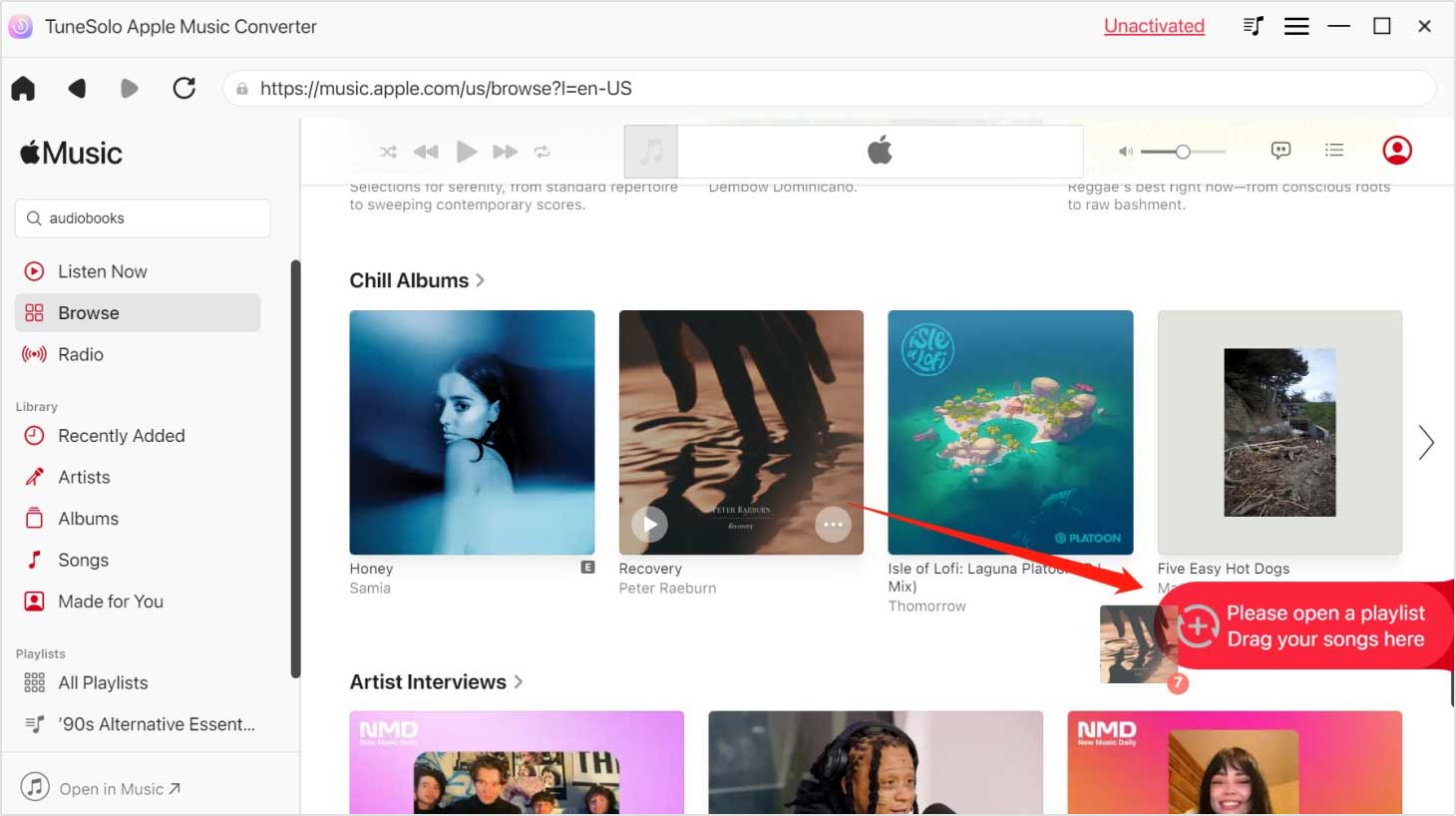
모두 TuneSolo Spotify Music Converter TuneSolo Apple Music Converter 사용하기 쉽고 고품질의 결과물을 제공합니다. 또한 일괄 변환을 지원하므로 사용자는 여러 곡의 노래나 재생 목록을 한 번에 변환할 수 있습니다.

