

修正 2026 年缺少的 Amazon Music 歌曲 [完整指南]
Are you noticing that your favorite Amazon Music songs are suddenly missing? You’re not alone. Many users have recently reported this frustrating issue, which can stem from subscription changes, app glitches, or device syncing errors.
If you've experienced disappearing tracks or albums on your Amazon Music app, don’t worry—we’re here to help. In this guide, we’ll walk you through the possible reasons for missing songs and show you how to permanently download and back up your Amazon Music library using a powerful solution.
文章內容 Why Amazon Music Songs Disappear How to Check Amazon Music Settings Re-download Missing Amazon Music 避免錯過歌曲的最佳方法 Use TuneSolo to Download Amazon Music 結語
Why Amazon Music Songs Disappear
There are several common reasons why Amazon Music tracks might go missing, especially in 2025 where changes in licensing and regional access are more frequent than ever:
- 您的訂閱已過期或降級(例如,從 Unlimited 降級為 Prime)。
- 您登入了錯誤的亞馬遜帳戶。
- 該應用程式尚未與您的音樂庫正確同步。
- 由於許可問題,該內容已被刪除。
These problems affect both Amazon Prime Music and Amazon Music Unlimited users. If you're wondering about the differences, this article on how to use Amazon Prime Music 可以幫助澄清。
How to Check Amazon Music Settings
在找到解決方案之前,最好先檢查一下您的設定和帳戶詳細資訊:
- 確保您登入了正確的亞馬遜帳戶。
- 檢查您的訂閱是否仍然有效。
- 查看“我的音樂”以確認歌曲仍在您的資料庫中。
- 驗證您的裝置是否有權播放下載內容。
如果沒有任何顯示,請考慮重新安裝應用程式並重新啟動您的裝置。
Re-download Missing Amazon Music
如果您之前下載過歌曲但現在遺失了,請嘗試以下步驟:
- Open the Amazon Music app.
- 前往「庫」>「最近播放或購買」。
- 如果歌曲出現在那裡,請點擊每個曲目或專輯旁邊的下載圖示。
然而,如果這些歌曲已從亞馬遜的目錄中刪除,則無法以標準方式恢復。
避免錯過歌曲的最佳方法
To permanently preserve your Amazon Music collection, it's recommended to download and convert your favorite tracks to a local backup. This avoids loss due to license issues, account changes, or app malfunctions.
看看這個比較 Amazon Music vs Spotify 了解為什麼現在許多用戶選擇離線管理音樂。
Use TuneSolo to Download Amazon Music
避免錯過歌曲最可靠的方法是使用 TuneSolo Amazon Music Converter。它允許您將亞馬遜曲目轉換為 MP3、FLAC、WAV 等,以便隨時離線使用。
以下是如何逐步使用它:
步驟二 Launch TuneSolo and select Amazon Music as the source platform.
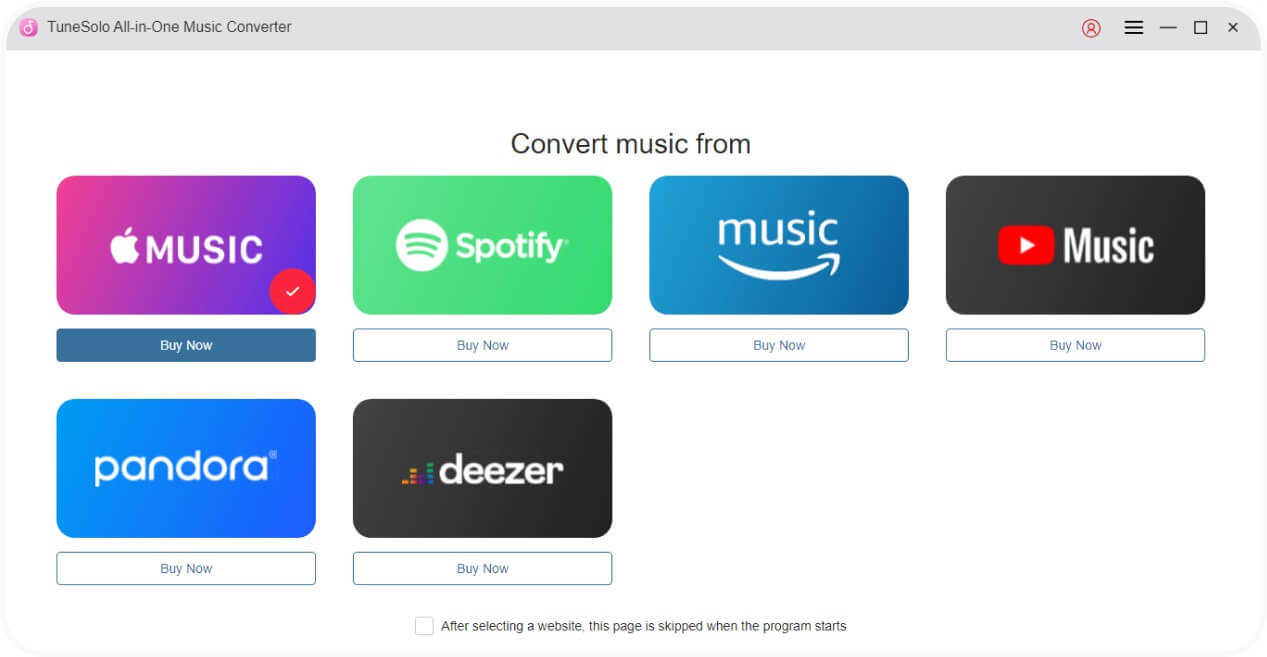
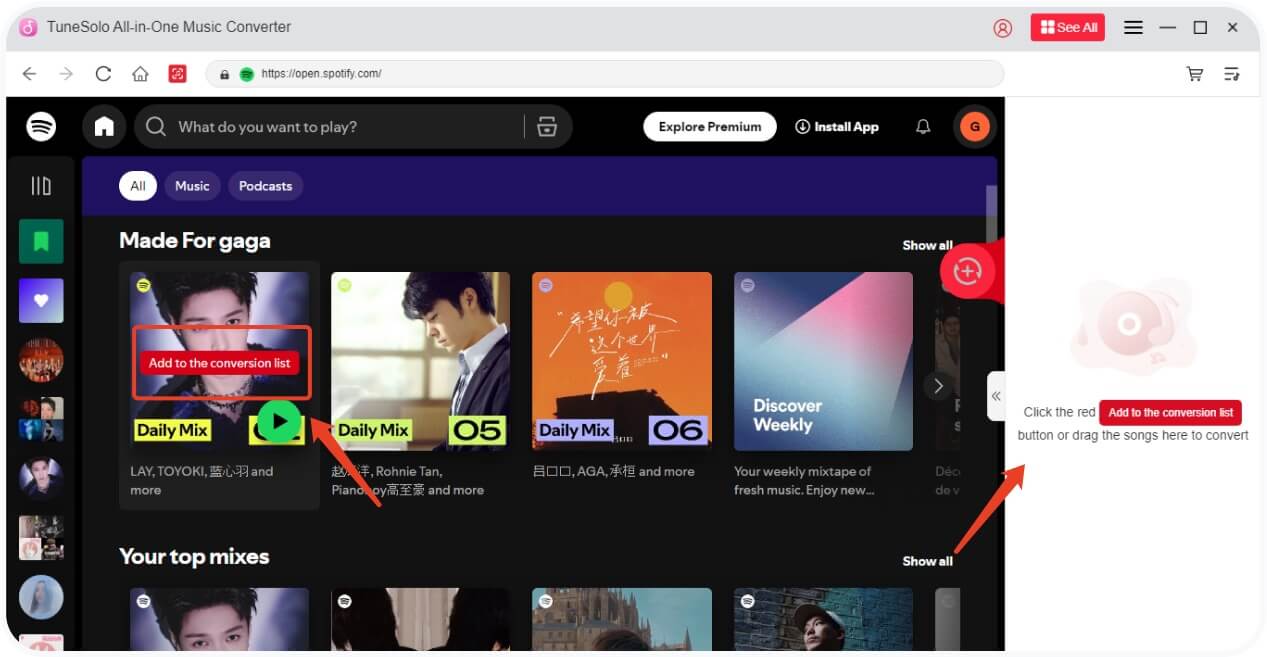
步驟二 Browse and choose the Amazon Music tracks, playlists, or albums you want to convert.
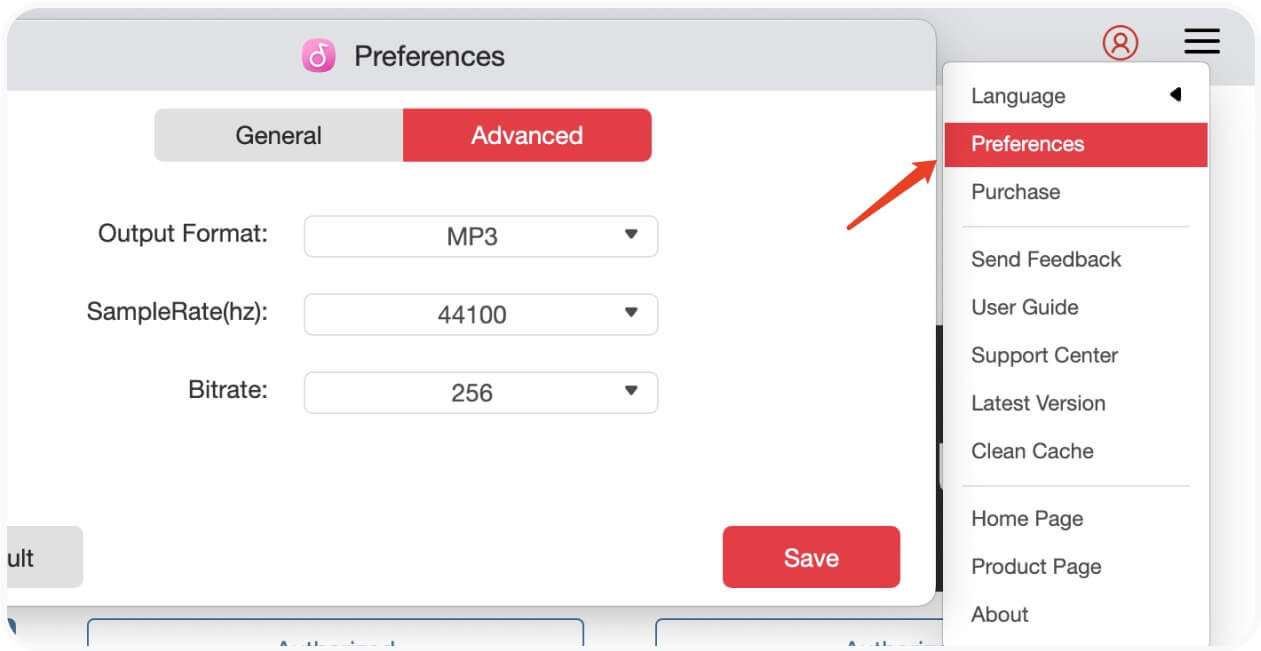
步驟二 設定輸出格式(例如 MP3、FLAC)和所需位元率。
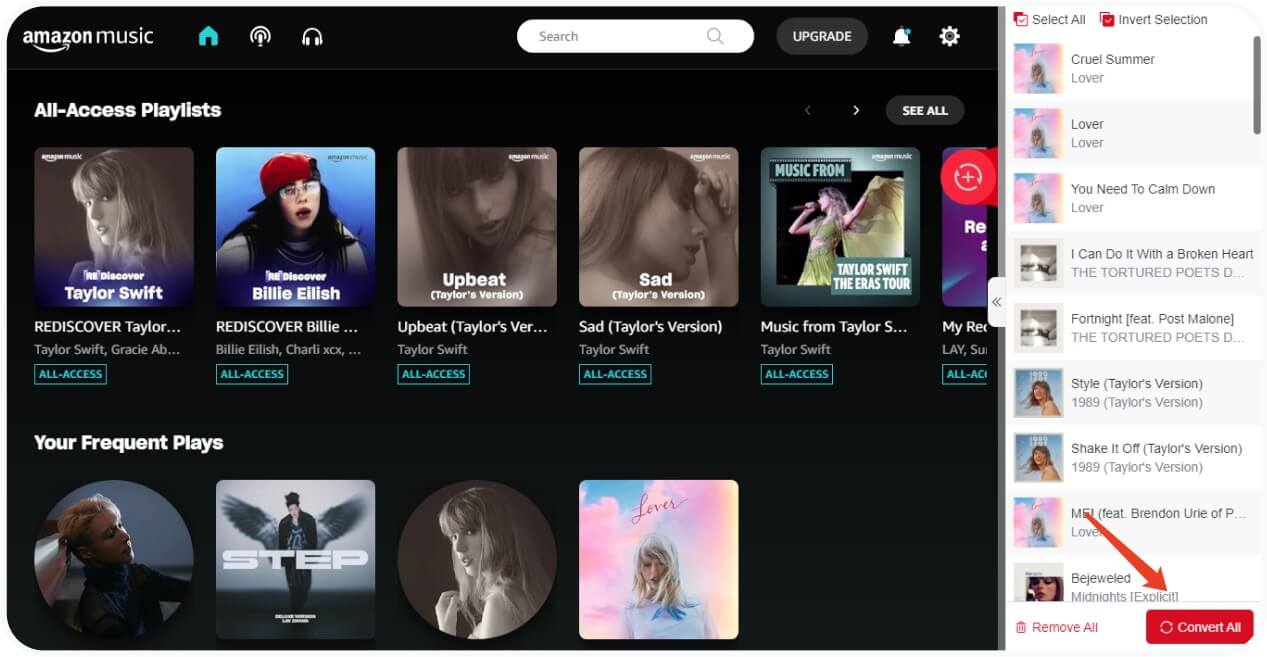
步驟二 點擊“轉換”開始下載您選擇的音樂。
步驟二 完成後,請前往“完成”查看您的離線檔案。
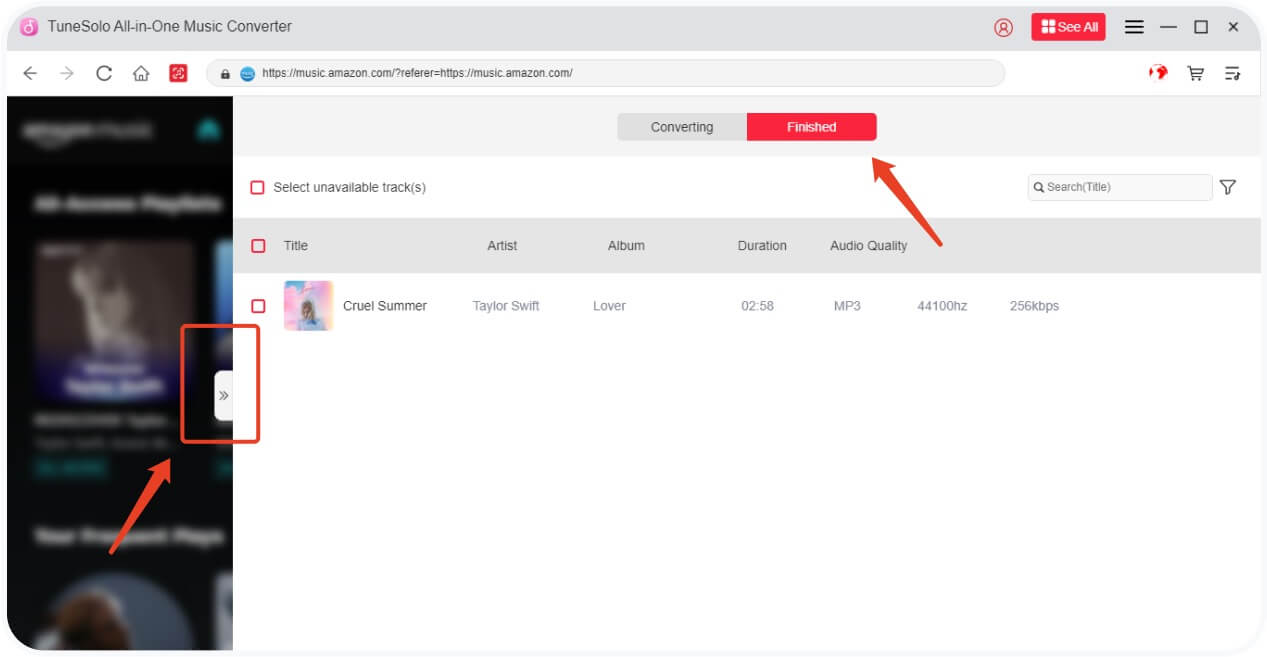
此方法可確保您始終可以存取您的音樂,即使亞馬遜稍後將其移除。了解更多技巧 downloading Amazon Music to your computer.
結語
Amazon Music songs can go missing for a number of reasons, but you don't have to lose your music forever. By using a dependable tool like TuneSolo Amazon Music Converter, you can secure your collection and listen offline whenever you like.
無論您要尋找 transfer Amazon Music to iTunes or 下載完整播放列表, TuneSolo offers an easy and efficient solution.
常見問題
Q1: Why did my Amazon Music songs disappear?
答:訂閱變更、許可更新或登入問題可能會導致歌曲消失。
Q2: Can I get back my missing Amazon Music songs?
A: You can try to re-download them if they're still in your library. For long-term access, it's best to convert them using a tool like TuneSolo.
Q3: Will TuneSolo keep the metadata of Amazon Music tracks?
A: Yes. TuneSolo preserves ID3 tags, including title, artist, and album info.

