
Passo 1:
Drag your local AAX or AA audiobook into TuneSolo for automatic detection and metadata display.
Use the Audible Converter to convert Audible AA/AAX books to DRM-free MP3 with preserved chapters and no device restrictions.
Mac Win

Scarica musica di tutti i tipi

Velocità di download 35 volte più veloce

Convertire Spotify in MP3

La migliore qualità musicale garantita

Preimpostazione per la conservazione dei tag ID3 e l'ordinamento della musica
Continua a leggere per una panoramica di tutte le funzionalità di TuneSolo Deezer Music Converter e scopri come ottimizzare la tua esperienza di ascolto musicale e come personalizzare l'utilizzo di Deezer.
Converti facilmente Audible AAX/AA to MP3 with One Click
After installing TuneSolo Audible Converter, you can effortlessly remove DRM from your Audible AAX or AA files, allowing you to enjoy them on various media devices. The tool simplifies the entire process, eliminating the need for additional software like iTunes. Simply drag and drop your Audible files into the app, and TuneSolo Audible Converter takes care of the rest without requiring Audible account authorization.

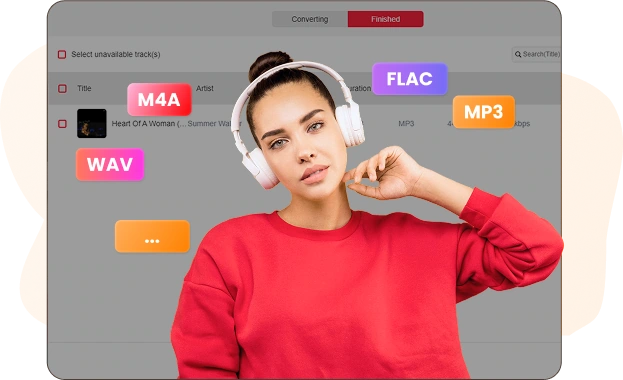
Diversi formati di output per adattarsi ai tuoi dispositivi
If your device doesn't support AA or AAX formats, TuneSolo Audible Converter makes it easy to convert your Audible books into MP3, M4A, FLAC, or WAV formats. This allows you to enjoy your Audible content on devices like MP3 players, iPods, Sony Walkmans and PSP, freeing your audiobooks from the Audible app's restrictions.
Conservare le informazioni del capitolo e i tag ID3
Concerned about losing chapter details after conversion? TuneSolo Audible Converter ensures that chapter information is fully preserved, so you can track your audiobook progress easily. If you'd like to update the metadata, such as changing the book cover or title, you can use the built-in ID3 tag editor to make adjustments.

Vivi 60X Faster Conversion Speed & Retain 100% Original Quality
With TuneSolo Audible Converter's advanced decryption technology, you can convert Audible audiobooks at up to 60X speed. If maintaining sound quality is important, you can switch to the "Lossless" mode to ensure the converted files retain the original audio quality. Additionally, you can customize various settings, such as bitrate, sample rate, and chapter split, to suit your preferences.

Dividi facilmente gli audiolibri in capitoli, intervalli di tempo o segmenti.
TuneSolo Audible Converter offers a simple solution for managing large audiobook files by allowing you to split them into smaller, more manageable segments. Whether you prefer to split your Audible AAX/AA books by specific time intervals, individual chapters, or even a combination of both, this tool provides the flexibility to organize your audiobooks in a way that suits your preferences. You can also choose to divide the books into multiple segments of equal size, making it easier to store and navigate through your Audible library without dealing with unwieldy, oversized files.
Caratteristiche eccezionali del modello TuneSolo Audible Converter

Ampia compatibilità
Prestazioni fluide sia su Windows che su macOS grazie alla sua perfetta integrazione.

Supporto per più lingue
English, Japanese, German, Polish, French, Spanish, Chinese, and so forth are all supported by TuneSolo.

conversione batch
You may save time and work by converting numerous AA/AAX Audible books at once using batch conversion.

Opzioni adattabili per la personalizzazione audio
For simpler administration and storage, you may divide huge audiobooks into equal parts, chapters, or time segments with TuneSolo Audible Converter.

Conversione di grande successo
For audiobooks, Extremely Successful Conversion achieves a higher conversion rate of 98%.
Come utilizzare TuneSolo Audible Converter?
Passo 1:
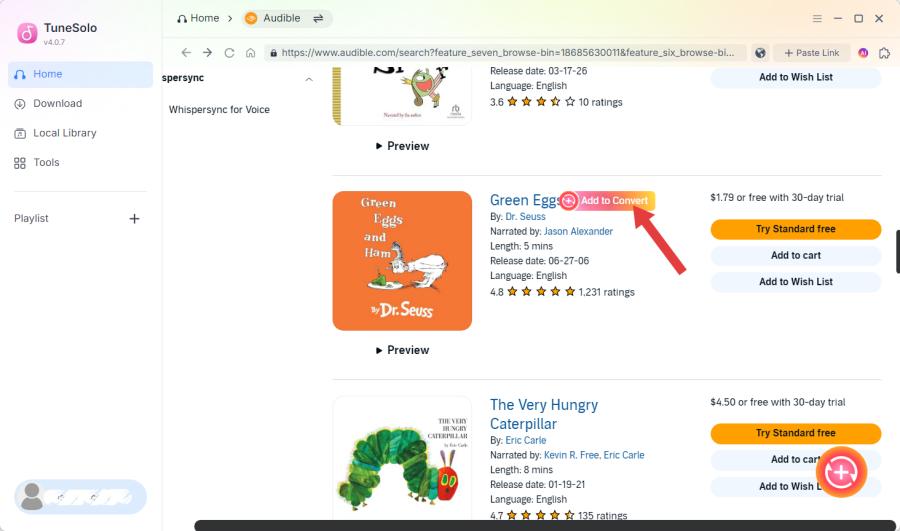
Drag your local AAX or AA audiobook into TuneSolo for automatic detection and metadata display.
Passo 2:
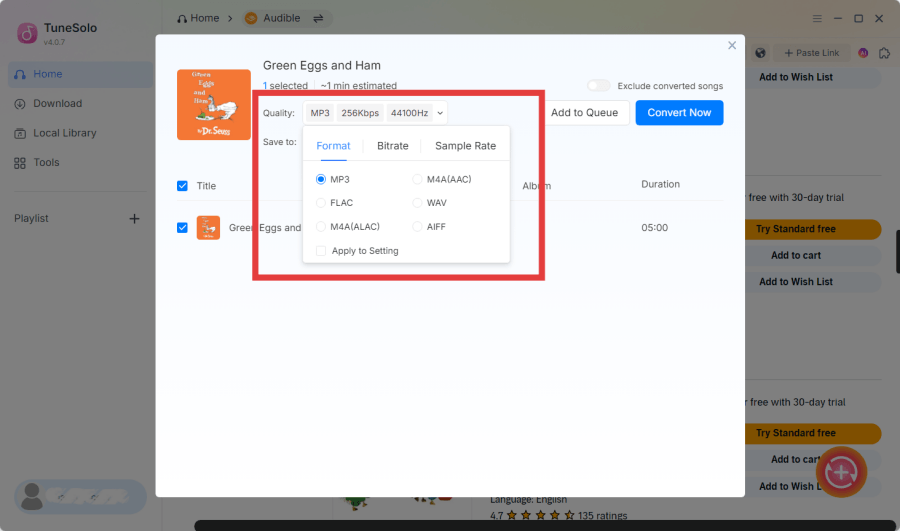
Scegli una cartella di output e un formato (MP3, M4A, FLAC o WAV) per una conversione di alta qualità.
Passo 3:
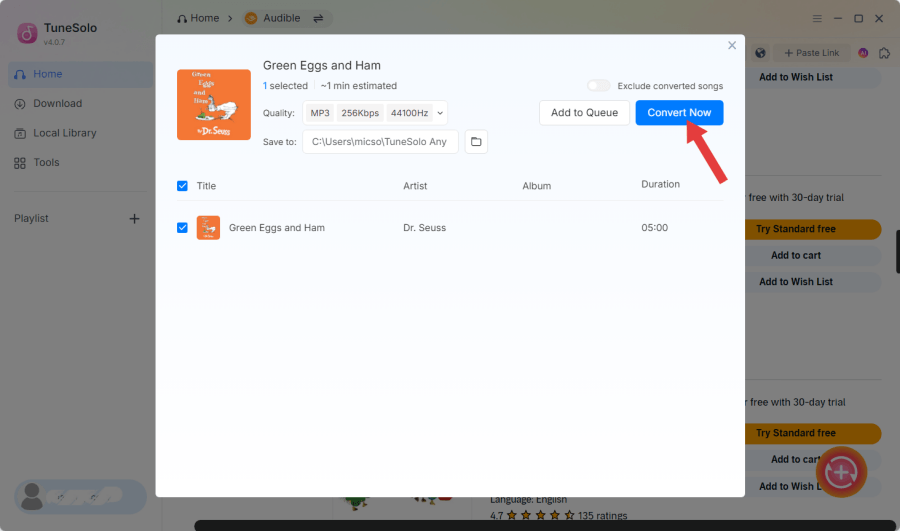
Fare clic su "Converti tutto" per avviare la conversione oppure utilizzare "Converti" per singoli audiolibri.
Recensioni TuneSolo Audible Converter

"This converter has completely streamlined my audiobook collection! I can now enjoy my Audible books offline without any DRM restrictions. The process is fast and easy, and the quality is top-notch. If you're an audiobook lover, this is a must-have tool!"

Produttore di podcast
James Lee
"As a content creator, I love how simple and efficient this tool is! It allows me to convert Audible audiobooks into various formats for all my devices. The conversion speed is incredible, and the quality is pristine. Definitely worth it for anyone who listens to audiobooks regularly."

YouTuber
Sarah Nguyen
"I’ve been searching for an easy way to convert and enjoy my Audible audiobooks on all my devices, and this tool is perfect! The app is easy to navigate, and the audio quality is amazing. I’m especially impressed with the fast conversion speed. Highly recommend!"

Blogger
Mark Wilson
Il più utile Audible Converter Vale la pena provarlo
Utilizzi Spotify da molto tempo? Scarica e installa gratuitamente TuneSolo Spotify Music Converter per vivere una nuova esperienza musicale.
Requisiti di sistema:
Windows 7 o versioni successive a 64 bit
Mac OS X o superiore 10.11
Prezzi:
A partire da $ 13.95 / mese
Scopri altri piani preziosi >>>
Audio di ingresso supportato:
Pandora Music songs, playlists,
album, ecc. album
Formati di output supportati:
Formato file: MP3, M4A, FLAC, WAV.
Domande frequenti
Posso usare TuneSolo Audible Converter gratuitamente?
Sì, certo. TuneSolo Audible Converter offre una versione di prova gratuita e una versione Pro per tutti gli utenti. La versione di prova gratuita consente di valutare appieno il software prima di effettuare un ordine. Se si è soddisfatti del suo utilizzo, è possibile acquistare la licenza per passare alla versione Pro.
Quali sono i limiti di una versione di prova gratuita?
Puoi utilizzare la prova gratuita solo per 15 giorni e solo 2 audiolibri possono essere convertiti completamente.
Posso ottenere uno sconto sull'acquisto del software TuneSolo?
Puoi tenere d'occhio il sito web ufficiale di TuneSolo per ricevere tempestivamente notizie su ulteriori offerte di sconto. Oppure puoi contattare il team di supporto ([email protected]) per maggiori dettagli su alcuni eventi speciali organizzati da TuneSolo.
Can I download books from Audible directly with TuneSolo?
No, TuneSolo Audible Converter doesn’t download books directly from Audible. You first need to download your Audible AAX or AA audiobooks through the Audible app or website and save them locally on your computer. Once downloaded, you can then use TuneSolo to convert them into other formats for offline listening on various devices.
Does TuneSolo Audible Converter preserve quality?
Absolutely, TuneSolo maintains the original audio quality, ensuring lossless conversion of Audible books.
Posso utilizzare la mia licenza su due o più computer?
Normalmente, una chiave di licenza può essere utilizzata solo su un dispositivo. Ma se si verifica un'emergenza, come la modifica o il ripristino del dispositivo e l'impossibilità di effettuare l'accesso, è possibile contattare il team di supporto ([email protected]) e fornisci le informazioni valide del tuo ordine; ti aiuteranno a trasferire la licenza su un nuovo dispositivo.
Funzioni
Popolare
Supporto
Copyright © 2026 TuneSolo. Tutti i diritti riservati.

Non esitare oltre
I nuovi utenti possono usufruire di uno sconto del 30% sul primo mese di abbonamento!
