Effortlessly Convert Spotify to Common Formats in Original Quality

Zie hoe het werkt
introduceer-img

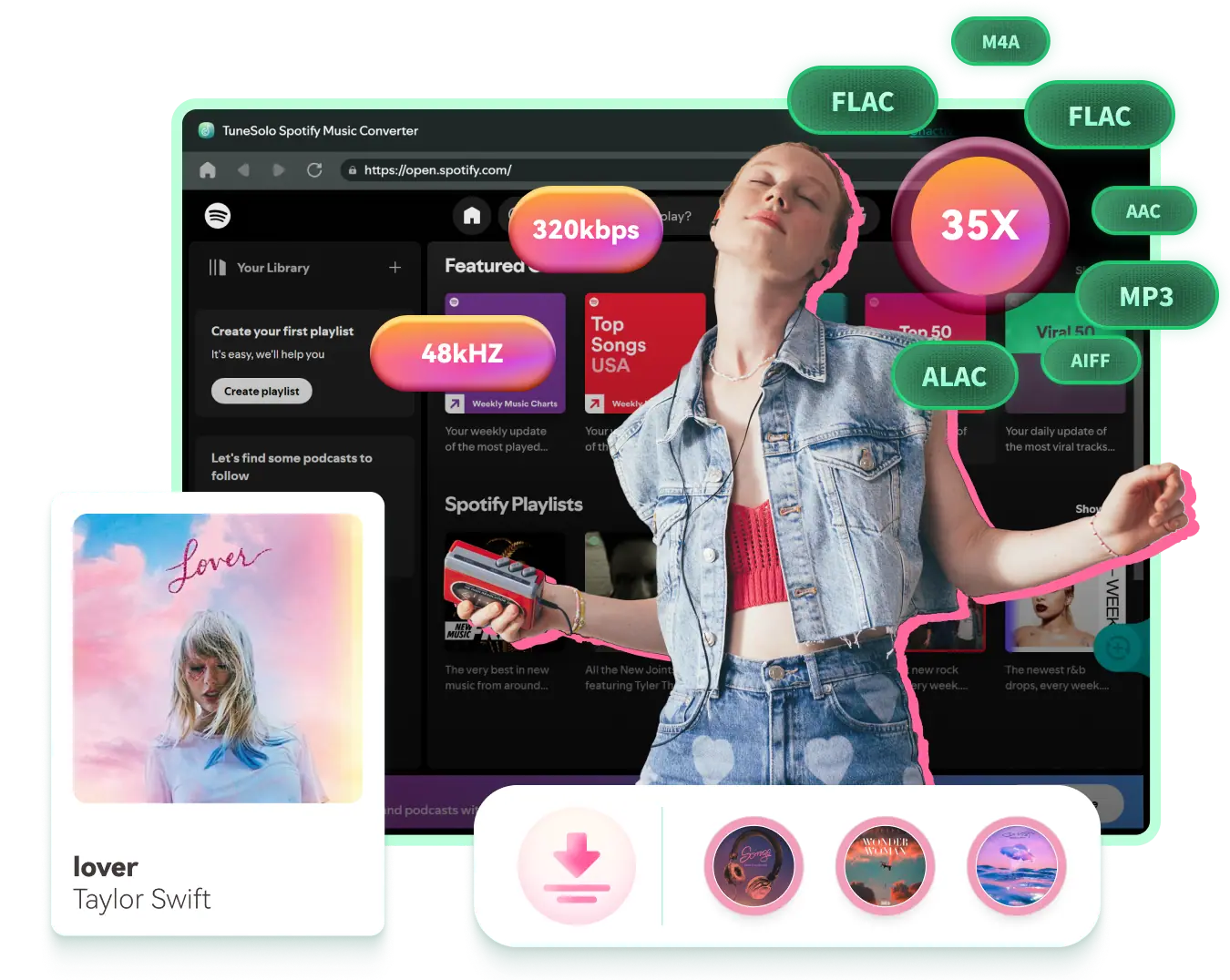
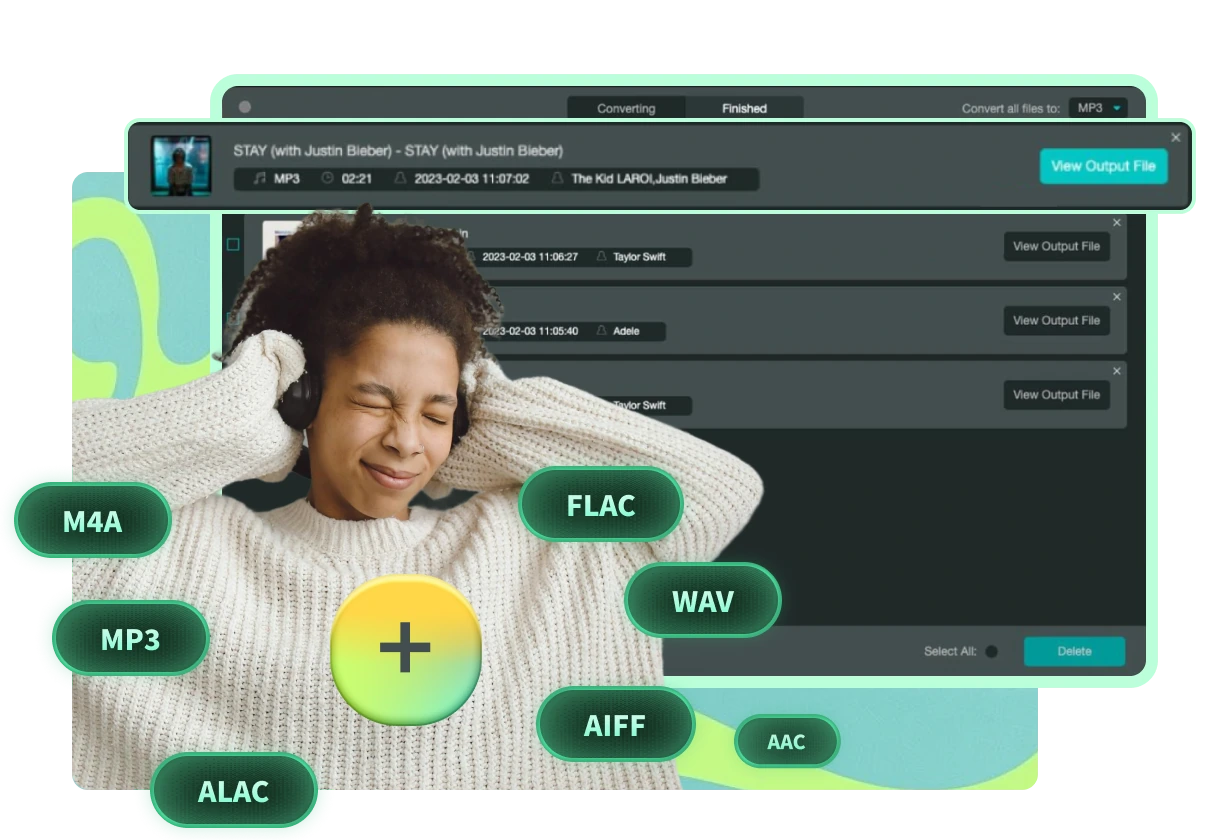
Inclusief uitvoerformaten: MP3, M4A, WAV, FLAC, AIFF, AAC, ALAC

Downloads from Spotify Premium are in OGG Vorbis format which can only be recognized by its official app. TuneSolo Spotify Music Converter provides more common format options than online Spotify downloaders, which normally support MP3 only.

Diverse DRM-free output formats can be exported via TuneSolo, including MP3, M4A, FLAC, WAV, AIFF, AAC en ALAC. Nummers in een normaal formaat kun je eenvoudig delen, bewerken of overzetten.
Notitie : AAC en ALAC zijn de twee typen codecs voor M4A. De eerste levert lossy audio met een kleinere bestandsgrootte en de laatste biedt lossless geluid met een groter bestandsformaat.
introduceer-img

Beste audiokwaliteit: sla nummers op in originele kwaliteit of pas deze aan

Besides ease of use and efficiency, TuneSolo Spotify Music Converter can preserve high audio quality after conversion. Unlike online Spotify downloaders or Spotify recorders, which can degrade sound quality due to the recording nature, TuneSolo maintains the original music quality in converted audio.

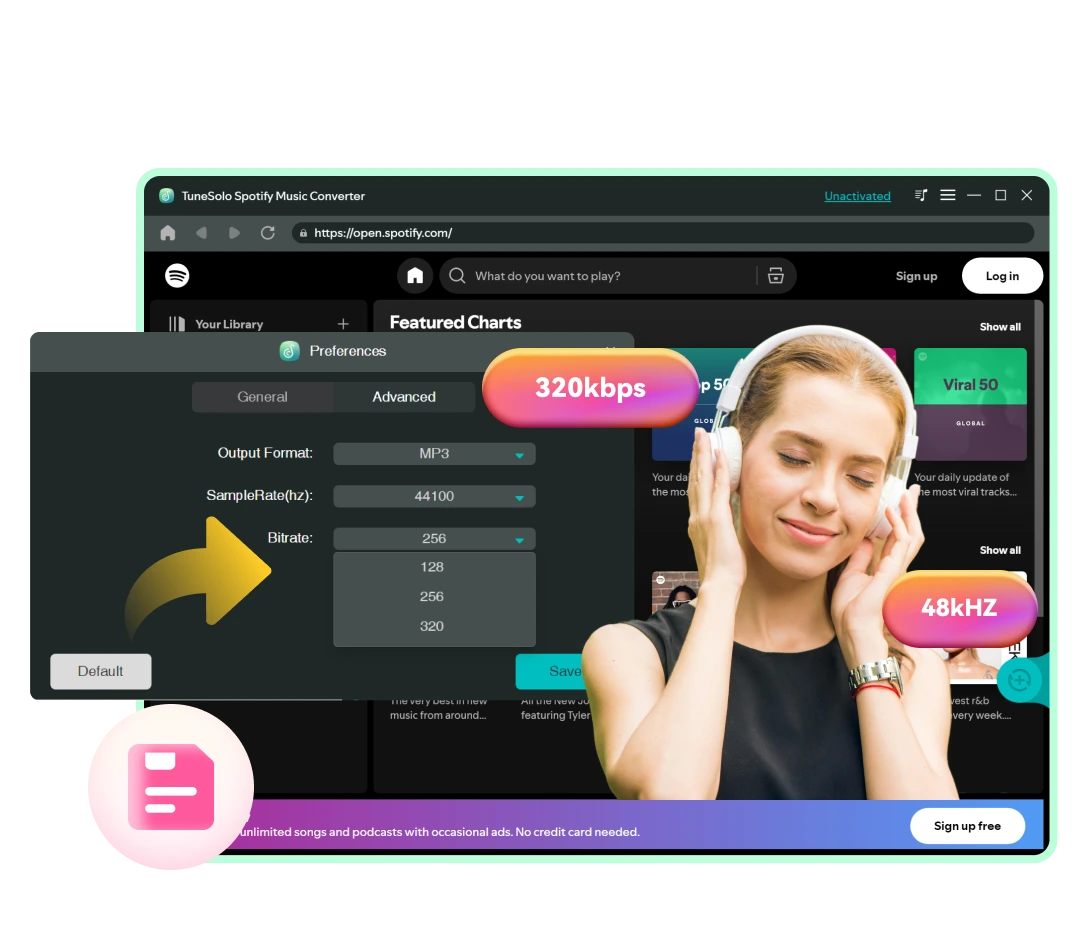
To download Spotify Music in high quality, you can change the quality setting to 320kbps, 48000hz in MP3. If you need audio in lossless quality, output it in WAV or FLAC.

Notitie : TuneSolo lets you change the sample rate from 22050hz to 48000hz and adjust the bit rate from 128kbps to 320kbps to match your source music.

Download Any Type of Audio Content from Spotify Losslessly

This Spotify Music Converter lets both users of Spotify Free and Spotify Premium quickly convert and download any type of audio content from Spotify.

dia-img

Liedjes en afspeellijsten

Zoek naar nummers of afspeellijsten uit alle genres, van hiphop en jazz tot rock en klassieke muziek, en download ze direct als MP3.

dia-img

Albums

Ga gewoon naar de pagina van een artiest en toon alle albums; je kunt ze vervolgens allemaal downloaden op deze krachtige Spotify Music Converter.

dia-img

Podcasts en shows

This Spotify podcast downloader lets you download elke aflevering van elke podcast en toon meteen twee audiobestanden.

dia-img

Audiobooks

TuneSolo Spotify Music Converter also allows you to download all chapters from an audiobook that is in the Spotify library.

Your Go-to Spotify Converter with Superior 35X Faster Download Experience

Met de TuneSolo Spotify Music Converter kunt u downloadtaken eenvoudig voltooien dankzij de razendsnelle conversiesnelheid.
dia-img

Download Spotify Songs at Least 35X Faster Speed
Geavanceerde hardwareversnellingstechnologieën zorgen ervoor dat muziekdownloads 35 keer sneller worden verwerkt, veel sneller dan welke andere software dan ook op de markt. Met een stabiel netwerk kan een nummer van 3 minuten in slechts 5 seconden worden gedownload!

dia-img

Embedded Spotify Web Player Available
You don't need to install the Spotify desktop client on your computer. The built-in Spotify web player on this Spotify Music Converter lets you access the Spotify library and your own library just like on the original. Music streaming and downloading can be fulfilled all at one stop with this Spotify converter.

dia-img

Vereenvoudigde bediening door slepen en neerzetten

Geen gedoe meer met het kopiëren en plakken van links! Open de gewenste content en download deze eenvoudig met slepen en neerzetten. Of klik direct op de knop 'Toevoegen aan conversielijst' om alle nummers van een afspeellijst of album toe te voegen voor conversie.

Indrukwekkend behoud van ID3-tags en gepersonaliseerd downloadbeheer
introduceer-img

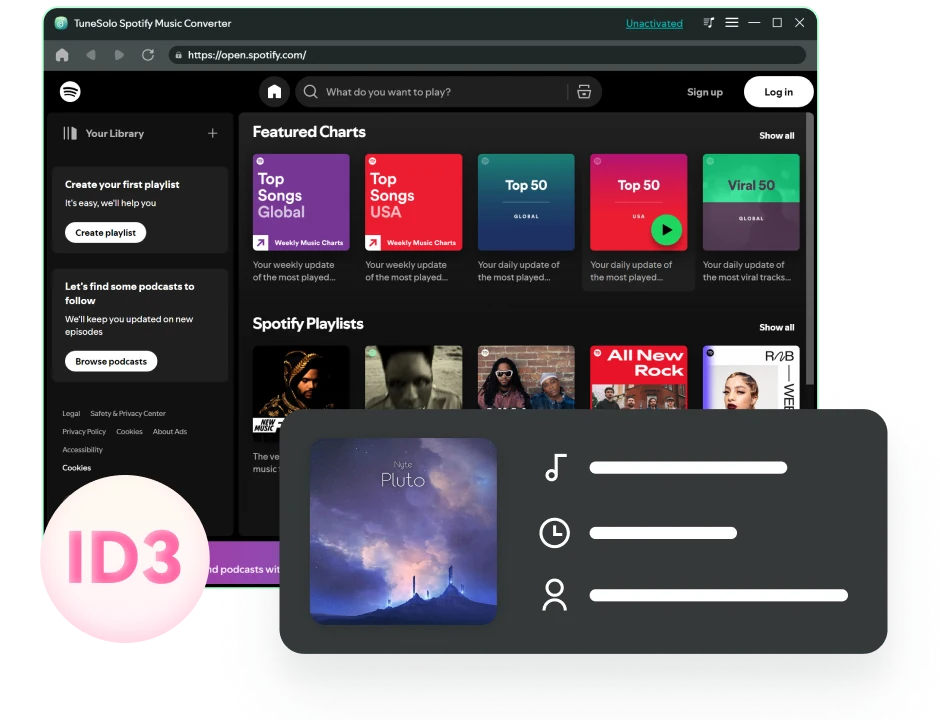
Behoud originele muziekmetadata en ID3-tags

To better manage and organize your music collection, this Spotify converter can smartly identify the original ID3 tags of your added online music. This function is much more convenient than using an audio recorder, which requires manually setting up metadata for audio files.

Met TuneSolo kunnen trackdetails, zoals titel, artiesten, track-ID en albumhoes, volledig worden weergegeven en behouden na conversie. Bij het afspelen op een iPod Shuffle, autoradio of andere offline apparaten wordt de songinformatie goed weergegeven op het scherm.
introduceer-img

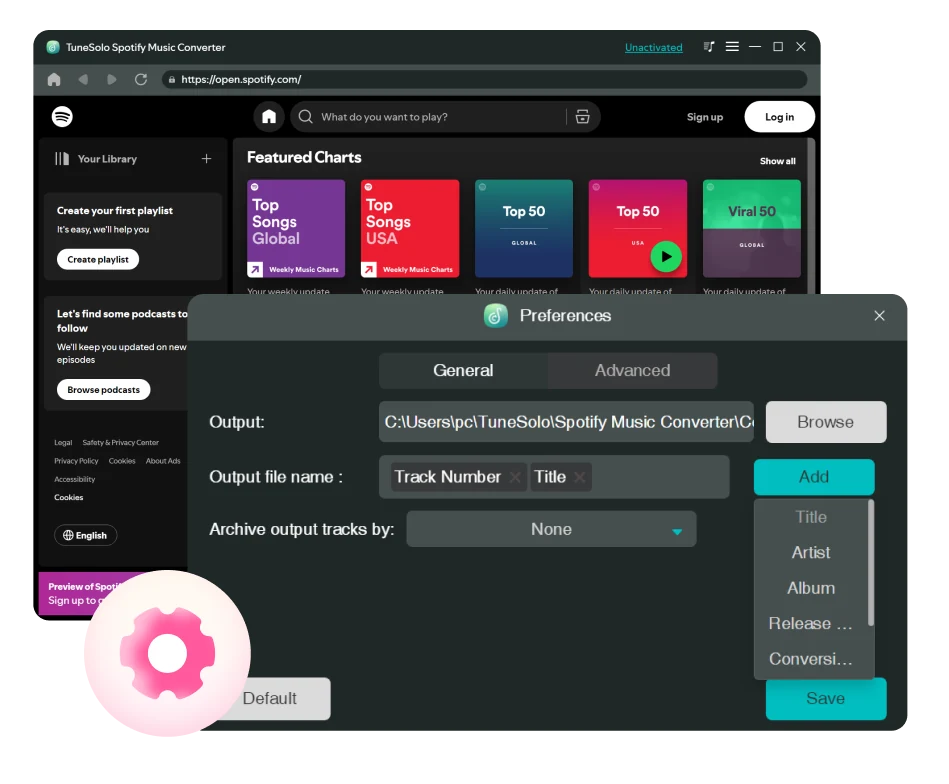
Pas uitvoervoorinstellingen aan voor de titel van het audiobestand en het mappenarchief

Better yet, this program also enables you to preset the file title for the downloaded audio by ID3 tags such as song title, artist, album, etc. to classify your Spotify downloads.

Bovendien kan deze muziekdownloader uw gedownloade nummers automatisch archiveren in standaardmappen, afspeellijsten, artiest, album, enz. volgens de regels die u in de voorkeursinstellingen hebt ingesteld.

Met deze functies hoeft u gedownloade nummers niet meer handmatig een voor een te ordenen!

Voordelen van het gebruik van TuneSolo Spotify Music Converter
dia-img

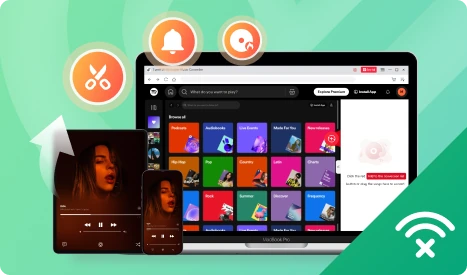
Geniet van de Spotify Music op meerdere apparaten of gebruik ze flexibel.
Na converting Spotify songs to MP3, you can listen to them offline on various devices and players, such as the Windows Mediaspeler, VLC, Virtual DJ, iPod Shuffle, Apple Watch, etc.

Bovendien kun je het gewone audiobestand instellen als beltoon of alarm, remixen, bewerken tot een videoclip, in een PowerPoint-presentatie of video insluiten , enzovoort.

dia-img

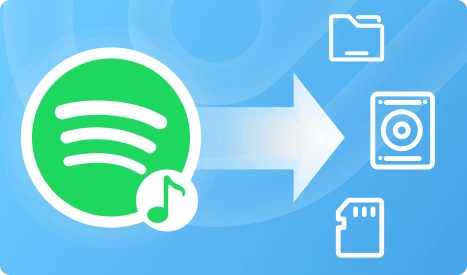
Sla Spotify Music gratis en voor altijd op op een opslagapparaat.

Once an artist terminates the collaboration with Spotify, you can no longer listen to their songs on Spotify. Downloading Spotify songs to MP3 or other common formats makes it possible to liedjes voor altijd bewaren.

Nadat u de bestanden hebt gedownload, kunt u ze uploaden naar een cloudopslag, een externe harde schijf, een USB-stick of een SD-kaart en er moeiteloos een back-up van maken.

Extra functies Creëer buitengewoon
Intuïtieve en meertalige interface

Supporting English, Japanese, German, French, and Chinese, this Spotify downloader has a stupid-simple UI design that makes it easy to use for everyone.

Track-zoekfunctie

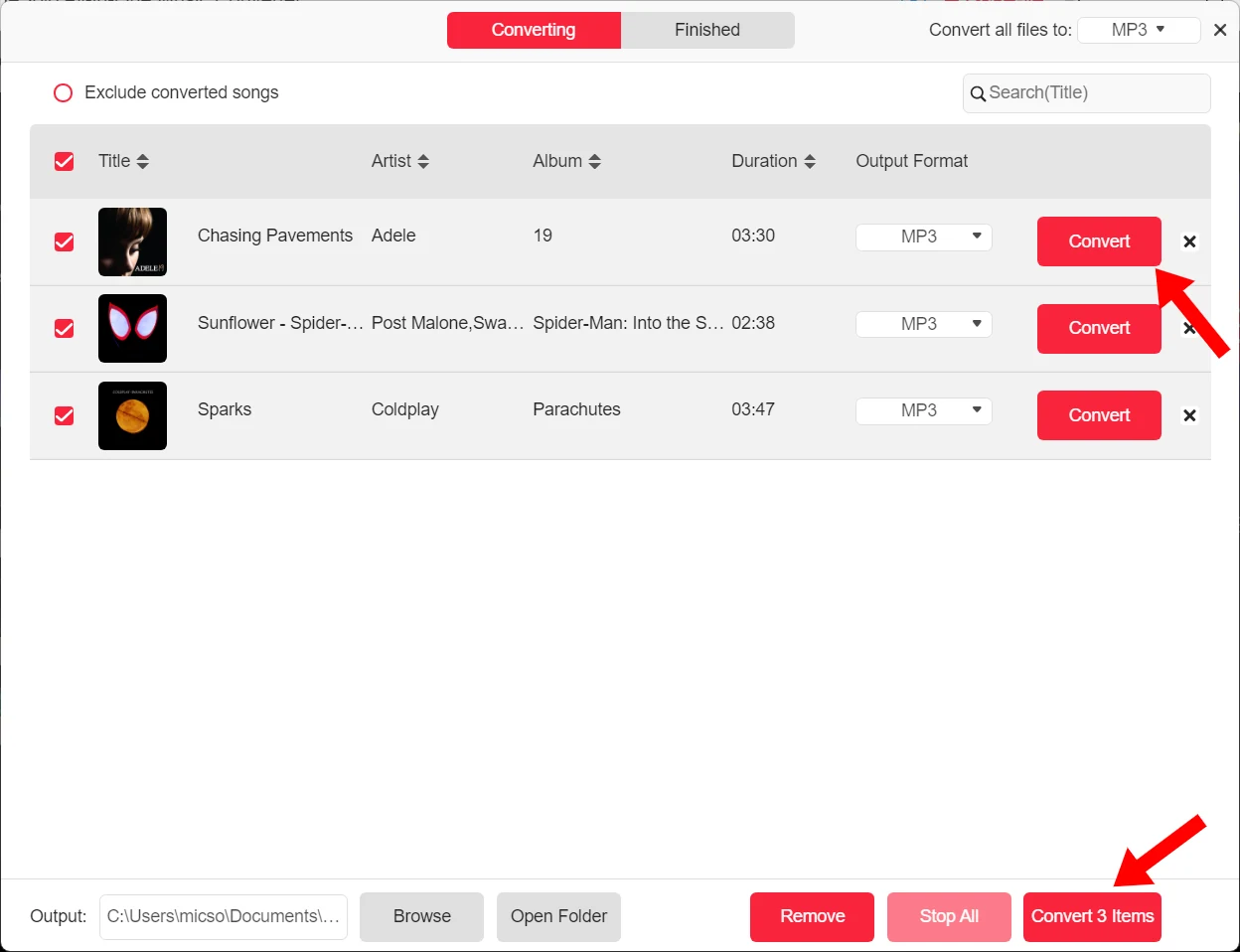
In de interface 'Converteren' of 'Klaar' kunt u zelfs zoeken naar de titel van een nummer om het nummer precies te vinden.

Ingebouwde liedjesspeler

On the in-built Spotify web player, you can easily manage your songs and even play them on this music converter.

Lijstvolgorde sorteren

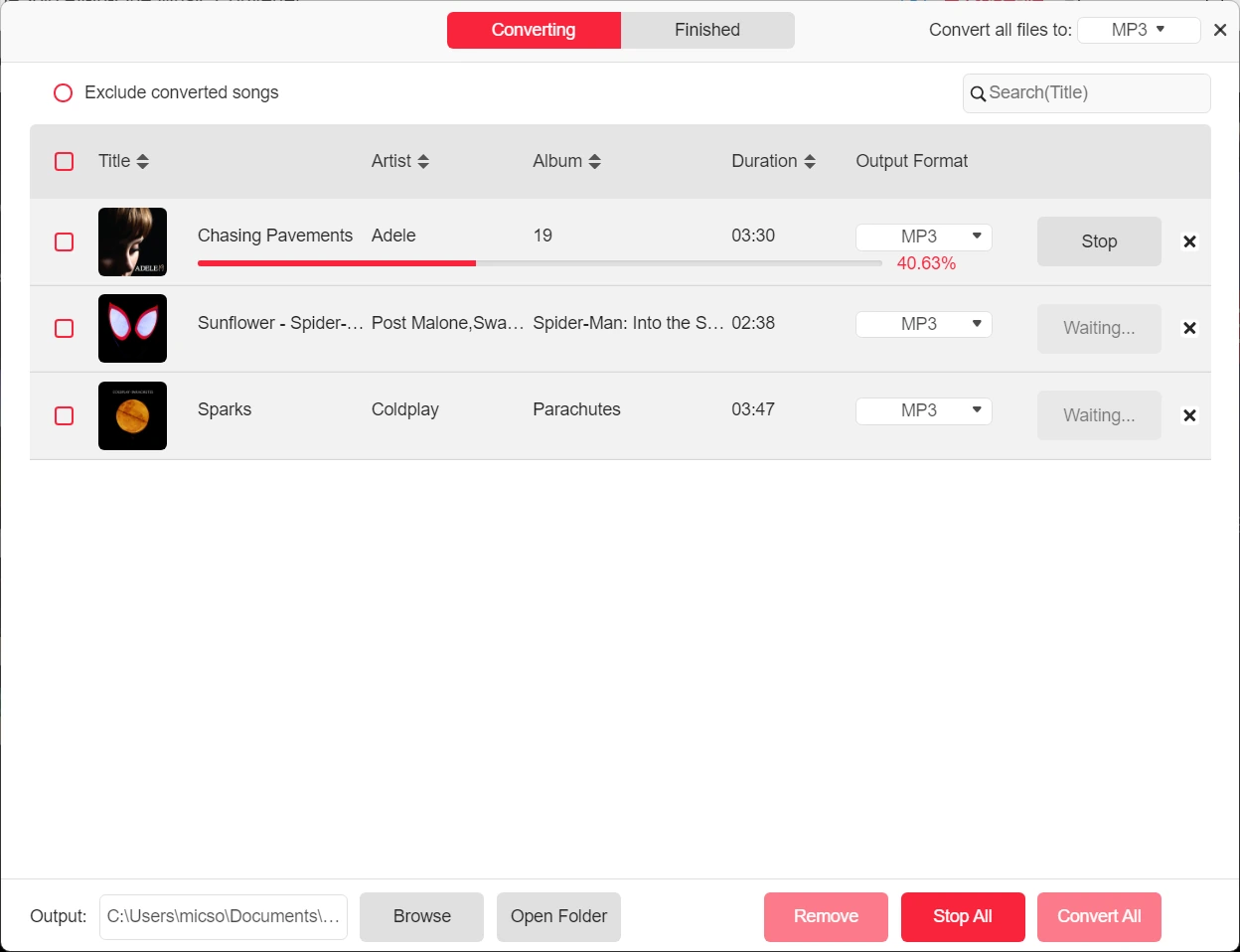
Sorteer de nummers in het venster 'Converteren' op titel, artiest, album of duur om de conversievolgorde te wijzigen voordat u begint.

Controle van het muziekconversieproces

Voor elk item in de conversielijst is een stop-/herstartknop beschikbaar, zodat u het proces voor één nummer kunt stoppen en een ander nummer kunt starten.

Softwarecache wissen

Built in with the Cache clear option, this software enables you to free up the storage or resolve some bugs without erasing Spotify downloads and your activation records.

Betrouwbare technische ondersteuning

TuneSolo focuses on Spotify updates and upgrades instantly to ensure higher conversion success rate.

Altijd aan het verbeteren

TuneSolo gathers user feedback, stays up to date with official updates and performs real-time maintenance and updates, thus increasing its conversion success rate to nearly 100%.

Gratis levenslange upgrade

Gratis om elke grote release en elke nieuwste versie te krijgen.

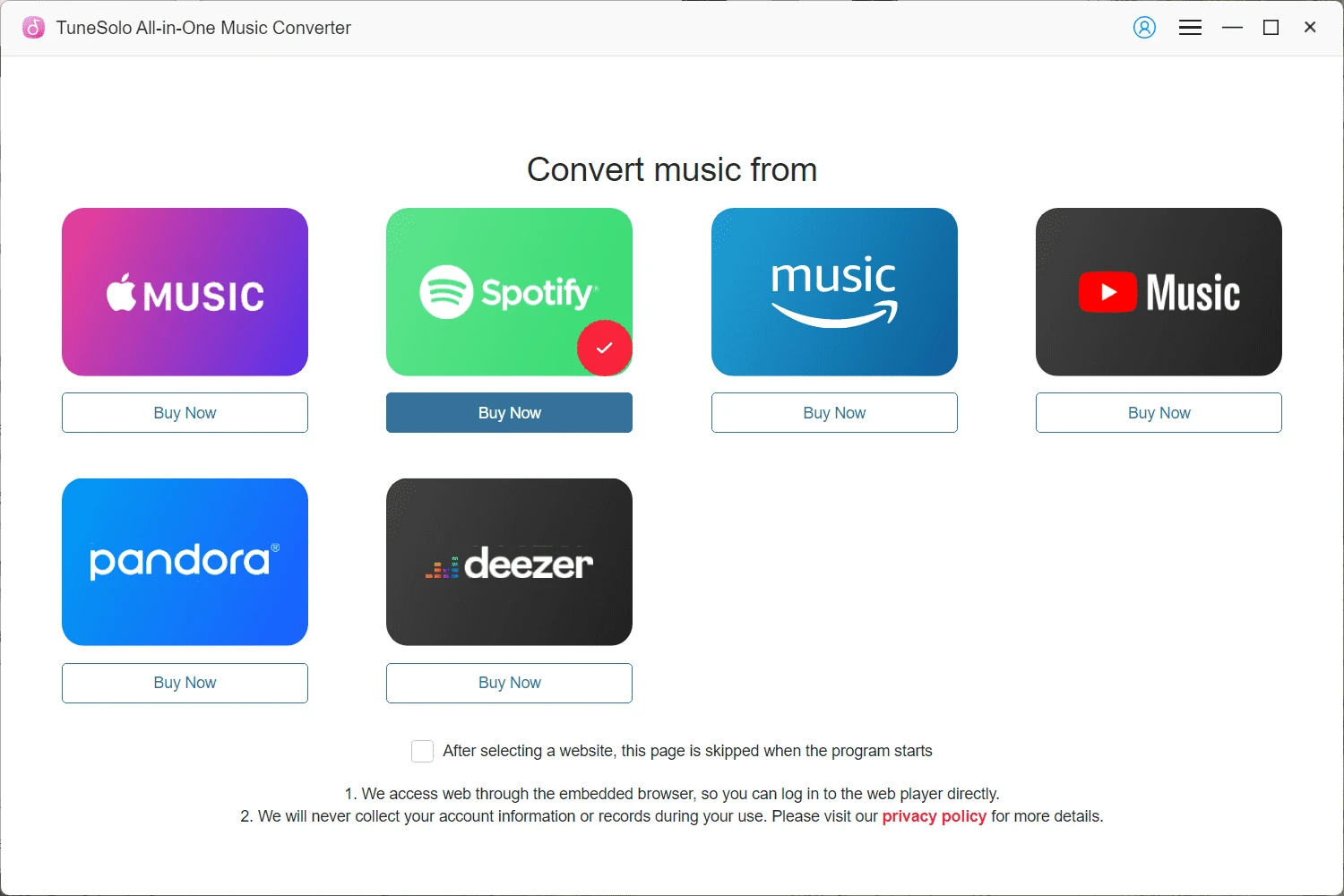
Hoe converteer ik Spotify Music naar MP3?

dia-img

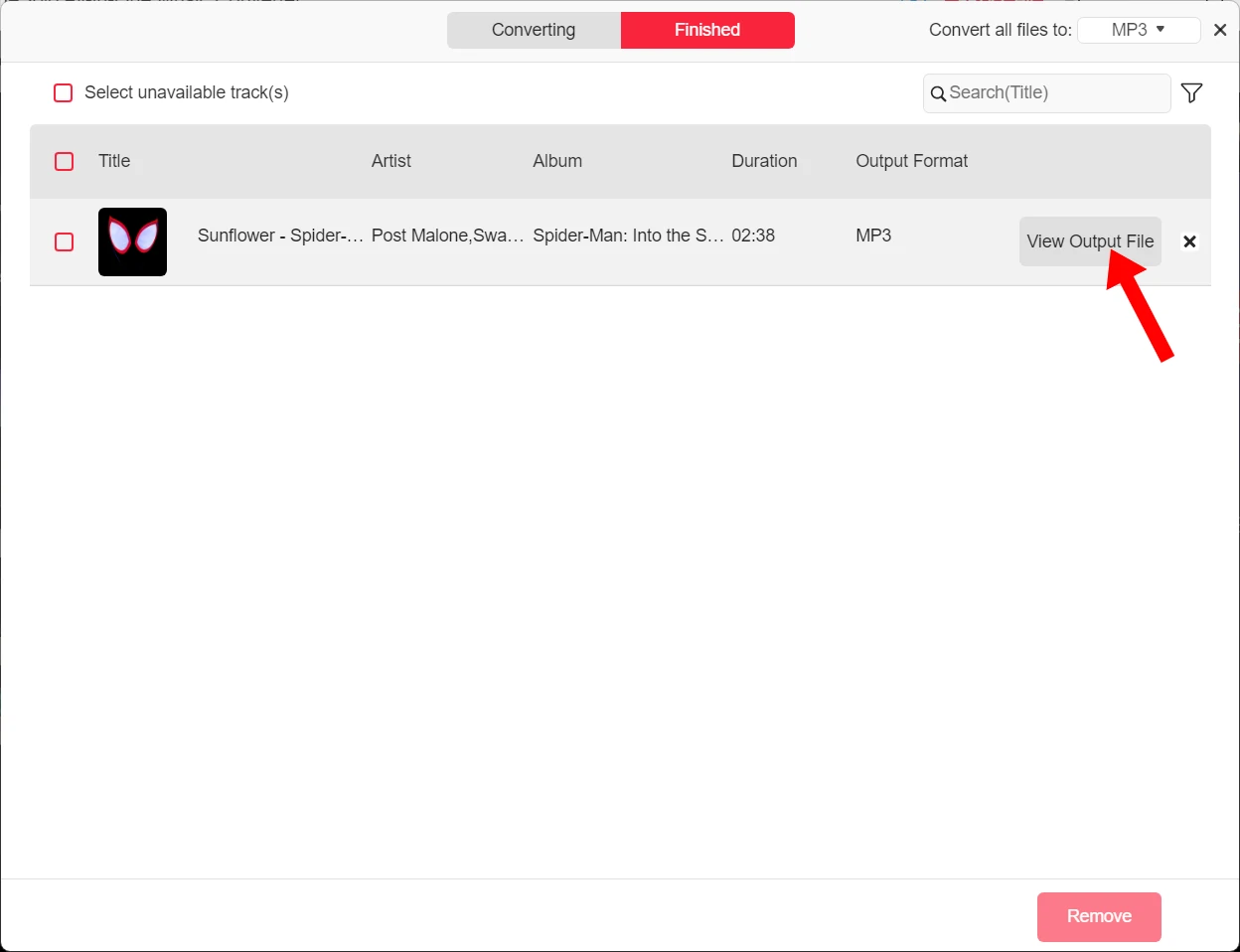
Stap 4. Zodra het downloaden is voltooid, klikt u op het tabblad "Voltooid" en vervolgens op het bestandspictogram om de gedownloade nummers te vinden.

dia-img

Stap 1. Voer de servicecode Spotify Music in op de converterinterface.

dia-img

Stap 2. Log in to the web player and directly open a Spotify playlist or song, and drag it to the conversion list on the right side.

dia-img

Stap 3. Het standaard uitvoerformaat is MP3. Je kunt de samplefrequentie en bitrate ook aanpassen in de conversielijst. Klik nu op "Alles converteren" om het downloaden te starten.

dia-img

Stap 4. Zodra het downloaden is voltooid, klikt u op het tabblad "Voltooid" en vervolgens op het bestandspictogram om de gedownloade nummers te vinden.

dia-img

Stap 1. Voer de servicecode Spotify Music in op de converterinterface.

Gratis proefversie versus volledige versie

Kenmerken Free Trial Volledige versie
Termijnen 30 dagen Hangt af van uw plan
Length for Each Spotify Audio Conversion Eerste 3 minuten van elk nummer Ongelimiteerde
Wie kan het gebruiken Spotify Free and Premium Users Spotify Free and Premium Users
Convert Spotify to MP3, M4A, WAV, FLAC, AIFF, AAC, and ALAC
Download Spotify-nummers
Download Spotify Playlists
Download Spotify Albums
Download Spotify Podcasts
Download Spotify Audiobooks
Lossless audiokwaliteit
Bitsnelheid en samplefrequentie aanpassen
35X Snellere conversiesnelheid
Batch downloaden
ID3-tags bewaren
Voorinstelling voor audiobestandtitel
Automatisch uitvoer audiobestandarchief

Wat onze gebruikers zeggen

-Nicolas Martinez

"Great tool for Spotify Music conversion! I tried the free version before I purchased the software. It works well and no ads pop up. It's easy to use and the download speed is pretty fast. Till now, I've successfully ripped all my Spotify playlists and saved them on my computer."

Abby Reddy

"Het downloadproces verloopt snel en soepel. Het is niet het type dat vol zit met onnodige functies. Het is zeker vergelijkbaar met de grotere merken."

Sophie Jones

"This Spotify Music Converter developed by TuneSolo is a marvelous tool for converting my Spotify tracks to MP3 format. I need MP3 files so I can save them on my USB and play them offline in my car."

Dan Weaver

"Het gebruik van de TuneSolo muziekconverter was over het algemeen een geweldige ervaring. Alle functies zijn gebruiksvriendelijk. Het apparaat biedt echter geen opties om de geconverteerde nummers te bewerken. Dat zou het enige verbeterpunt zijn waar ik om zou vragen."

Olivia Harris

"I've tried a lot of Spotify downloaders. So far, TuneSolo is the best. It performs much more stably than online Spotify downloaders, especially with its fast download speed and high success rate. Lossless sound quality can also be preserved after conversion! Cheers to TuneSolo for making downloading Spotify Music easier!"

David Preston

Ik ben al een paar dagen geabonneerd op deze muziekconverter. Alles lijkt momenteel prima in orde. De drag-and-dropfunctie is enorm handig, want ik heb hem gebruikt om afspeellijsten met nummers te downloaden. En de geluidskwaliteit van de geconverteerde nummers is zoals ik had verwacht. Ik geef een goede beoordeling.

-Nicolas Martinez

"Great tool for Spotify Music conversion! I tried the free version before I purchased the software. It works well and no ads pop up. It's easy to use and the download speed is pretty fast. Till now, I've successfully ripped all my Spotify playlists and saved them on my computer."

Abby Reddy

"Het downloadproces verloopt snel en soepel. Het is niet het type dat vol zit met onnodige functies. Het is zeker vergelijkbaar met de grotere merken."

Vertrouwen van 100+ industrie-experts

"TuneSolo Music Converter provides you with flexible options when it comes to setting output audio parameters. You can set the sample rate, bitrate and output format as you preferred. For those who want to keep the original music quality, you can set the sample rate as 44,100 Hz and bitrate as 320 Kbps."

"TuneSolo Music Converter staat ook bekend als een playlist-downloader, waarmee je tientallen nummers tegelijk kunt downloaden en converteren van OGG Vorbis naar offline multimediaformaten zoals MP3, M4A, WAV en FLAC."

"The interface of TuneSolo Music Converter is designed to be simple and easy to operate. You just need to simply drag-and-drop the Spotify songs and with few clicks, then you can finish the conversion. "

De conversieratio van deze applicatie is zeer snel en biedt meer betrouwbaarheid. De intuïtieve gebruikersinterface maakt het gebruiksvriendelijker. Deze applicatie is beschikbaar voor Windows- en Mac-besturingssystemen. Onze praktijkervaring heeft bewezen dat het zeer nuttig is voor muziekliefhebbers.

Dit programma downloadt de nummers 5x sneller en je hoeft je geen zorgen te maken over verlies van audiokwaliteit. Wat we zo fijn vinden, is dat de kwaliteit die je krijgt gedurende het hele proces behouden blijft, van het downloaden tot het converteren.

"TuneSolo Music Converter provides you with flexible options when it comes to setting output audio parameters. You can set the sample rate, bitrate and output format as you preferred. For those who want to keep the original music quality, you can set the sample rate as 44,100 Hz and bitrate as 320 Kbps."

"TuneSolo Music Converter staat ook bekend als een playlist-downloader, waarmee je tientallen nummers tegelijk kunt downloaden en converteren van OGG Vorbis naar offline multimediaformaten zoals MP3, M4A, WAV en FLAC."

"The interface of TuneSolo Music Converter is designed to be simple and easy to operate. You just need to simply drag-and-drop the Spotify songs and with few clicks, then you can finish the conversion. "

De conversieratio van deze applicatie is zeer snel en biedt meer betrouwbaarheid. De intuïtieve gebruikersinterface maakt het gebruiksvriendelijker. Deze applicatie is beschikbaar voor Windows- en Mac-besturingssystemen. Onze praktijkervaring heeft bewezen dat het zeer nuttig is voor muziekliefhebbers.

Dit programma downloadt de nummers 5x sneller en je hoeft je geen zorgen te maken over verlies van audiokwaliteit. Wat we zo fijn vinden, is dat de kwaliteit die je krijgt gedurende het hele proces behouden blijft, van het downloaden tot het converteren.

"TuneSolo Music Converter provides you with flexible options when it comes to setting output audio parameters. You can set the sample rate, bitrate and output format as you preferred. For those who want to keep the original music quality, you can set the sample rate as 44,100 Hz and bitrate as 320 Kbps."

"TuneSolo Music Converter staat ook bekend als een playlist-downloader, waarmee je tientallen nummers tegelijk kunt downloaden en converteren van OGG Vorbis naar offline multimediaformaten zoals MP3, M4A, WAV en FLAC."

"The interface of TuneSolo Music Converter is designed to be simple and easy to operate. You just need to simply drag-and-drop the Spotify songs and with few clicks, then you can finish the conversion. "

De conversieratio van deze applicatie is zeer snel en biedt meer betrouwbaarheid. De intuïtieve gebruikersinterface maakt het gebruiksvriendelijker. Deze applicatie is beschikbaar voor Windows- en Mac-besturingssystemen. Onze praktijkervaring heeft bewezen dat het zeer nuttig is voor muziekliefhebbers.

Dit programma downloadt de nummers 5x sneller en je hoeft je geen zorgen te maken over verlies van audiokwaliteit. Wat we zo fijn vinden, is dat de kwaliteit die je krijgt gedurende het hele proces behouden blijft, van het downloaden tot het converteren.

Veelgestelde Vragen / FAQ

01 Wat zijn de beperkingen van een gratis proefversie?

Met de gratis proefversie kun je alleen de eerste 3 minuten van elk nummer converteren. Je kunt de gratis proefversie 14 dagen gebruiken.

02 Hoe activeer ik TuneSolo Spotify Music Converter?

Start de software en er verschijnt een statusvenster. Meld u aan bij het accountcentrum met uw e-mailadres en licentiesleutel in de daarvoor bestemde vakjes. Klik na het inloggen op 'Accountstatus bijwerken'.

03 Kan ik mijn licentie overdragen naar een andere computer?

Yes, you can transfer your license to a new computer and it's 100% free. To do that, just install and log in to the software on a new computer, enter the TuneSolo account center, hit "Manage devices" and rest the old computer.

04 Welke conversiesnelheden ondersteunt TuneSolo Music Converter?

De laagste conversiesnelheid is 35x sneller, waardoor de conversie binnen een moment voltooid kan zijn.

05 Hoe download ik Spotify Music in lossless geluidskwaliteit?

To save your Spotify downloads in lossless quality, you can choose the output format as FLAC or M4A(ALAC). FLAC is compatible with most devices and players with a larger file size, and M4A file with ALAC codec is more commonly used on Apple devices or APPs.

If you want to save Spotify Music in MP3, but preserve nearly lossless quality, it is advisable to set the parameters to match the original Spotify bitrate up to 320kbps and the sample rate to 44100Hz.

06 Where are the downloaded Spotify songs saved?

Het hangt ervan af of je de standaardinstelling of een aangepaste locatie voor de downloads gebruikt. Hoe dan ook, je kunt de gedownloade nummers eenvoudig vinden door op het mappictogram onderaan het conversievenster te klikken.

07 Can I download Spotify songs to MP3 with Spotify free accounts?

Yes. TuneSolo Spotify Music Converter works for both Spotify free accounts and Premium accounts.

08 Is TuneSolo Spotify Music Converter veilig?

Definitely! This Spotify Music Converter was developed by a professional team in 2016 and has been operational since then. It is a 100% clean and trusted music conversion tool that will not harm your computer or system.

Probeer TuneSolo Spotify Music Converter vandaag nog.

Freely install TuneSolo Music Converter to batch convert Spotify playlist to MP3 with great sound quality, 35X faster speed, and secure performance to bring free to your Spotify Music journey!

Systeemvereiste:
Windows 7 of hoger op 64-bits vereist.
Mac OS X 10.12 of hoger
ratings:
4.8/5
Prijzen:
Vanaf $ 13.95
Ondersteunde indelingen:
MP3, M4A, FLAC, WAV,
AAC,AIFF,ALAC
Klik hier om de volledige software-updategeschiedenis te bekijken >>

Welke converters anderen gebruiken?

Apple Music Converter

TuneSolo Apple Music Converter

Remove DRM and convert Apple Music, iTunes M4P songs and Audible AA/AAX audiobooks to MP3 with up to 5X faster speed.

Gratis proberen
Gratis proberen
anderen_foto_2

TuneSolo Audible Converter

Download and convert Audible books and convert them from AA/AAX to DRM-free MP3 format

Gratis proberen
Gratis proberen
anderen_foto_3

TuneSolo YouTube Music Converter

Download YouTube Music of muziekvideo's naar lokale MP3-bestanden zonder kwaliteitsverlies, zodat u ze altijd en overal offline kunt afspelen.

Gratis proberen
Gratis proberen
dichtbij

Aarzel niet langer

Nieuwe gebruikers kunnen profiteren van 30% korting op hun abonnement gedurende de eerste maand!